 Soreno
All your coding agents,
in one window.

Soreno brings together the Claude Code, Codex, Pi and OMP sessions of all your projects, their changes, their issues and your notes. You see at a glance who is working, who is waiting for your reply and what changed.
PreviewProjects on the left, Claude Code in the middle, the Git panel on the right.
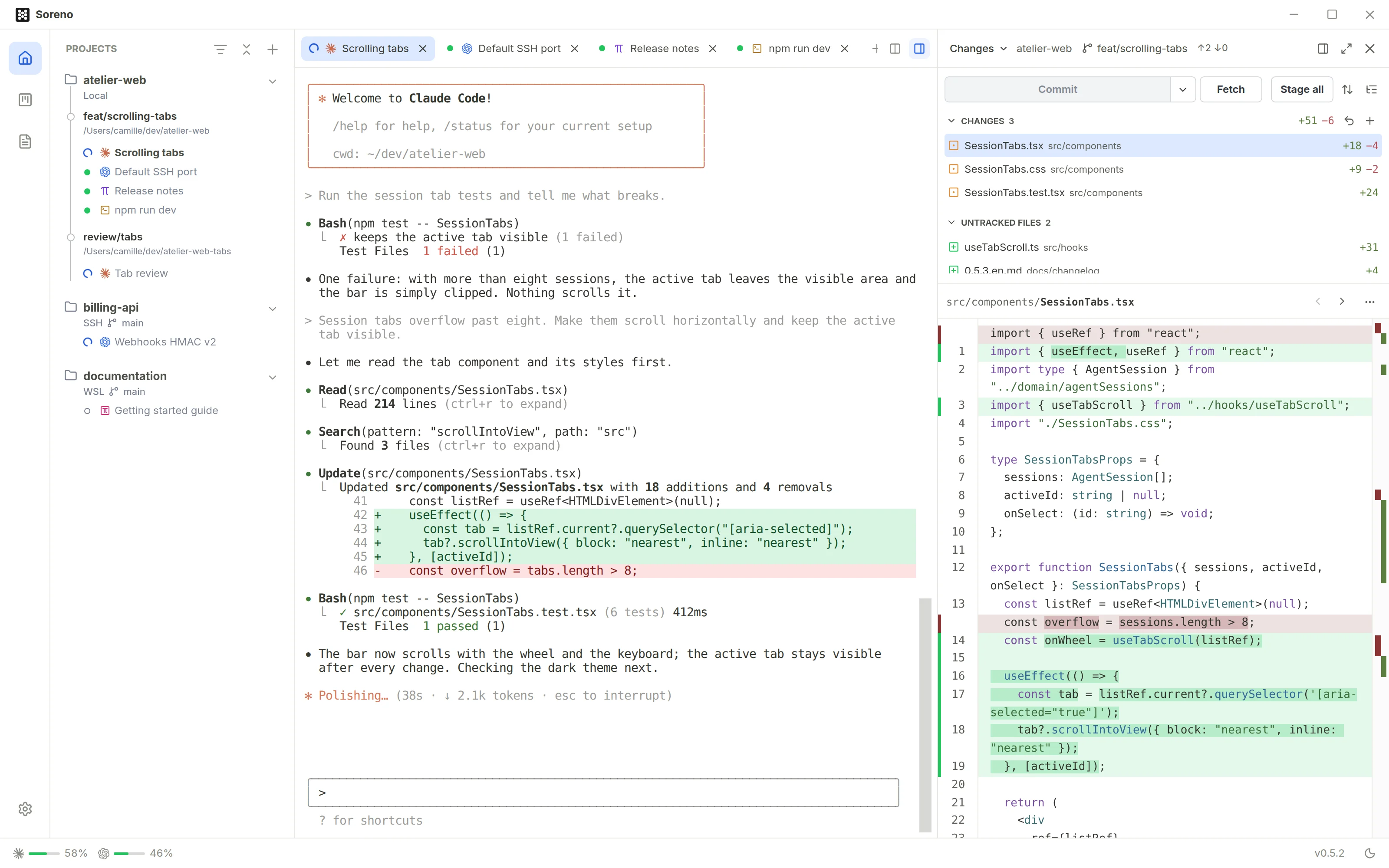
- The agent is working
- It is waiting for your reply
- It finished its turn
Soreno runs the CLIs you already use
- Claude Code
- Codex
- Pi
- OMP
- Your shell
Sessions
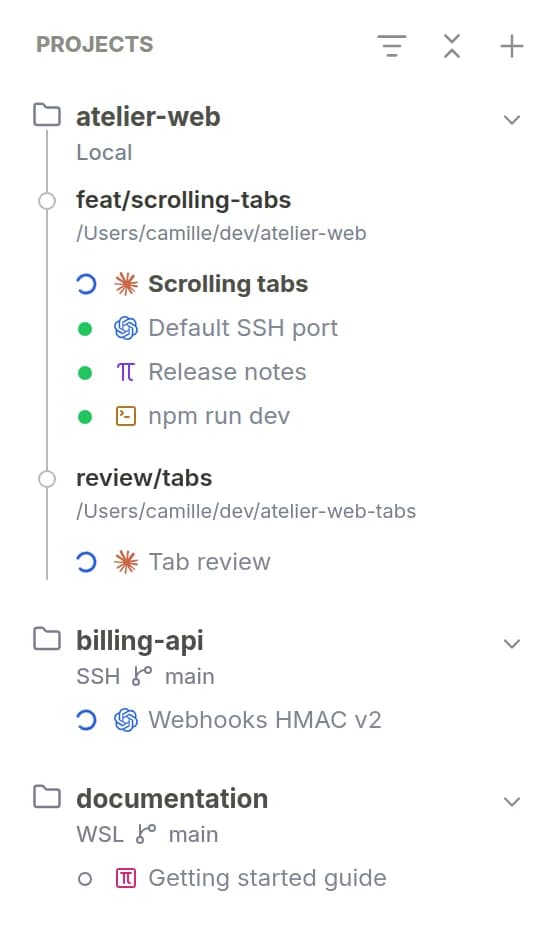
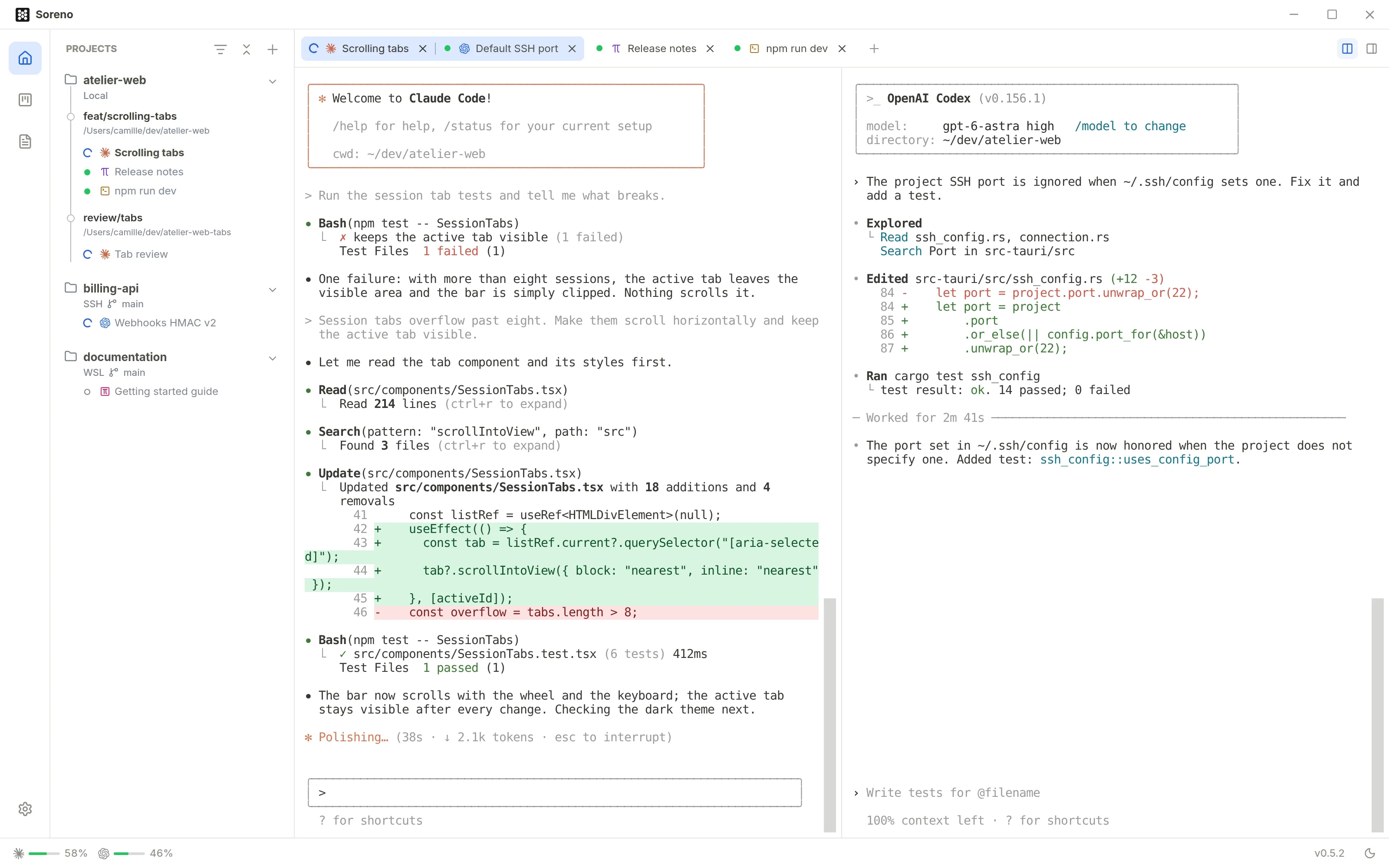
One session per task, all in view
Run as many agents as you have tasks: Soreno keeps them all one click away, project by project.
Kanban
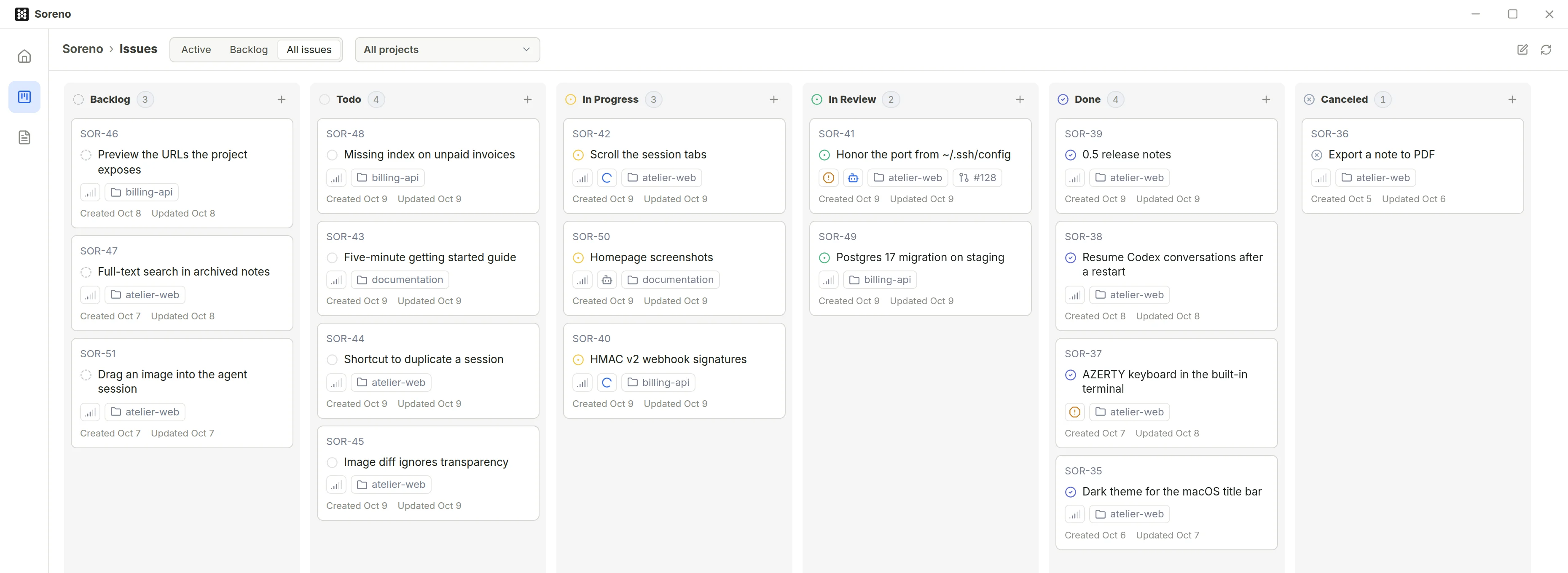
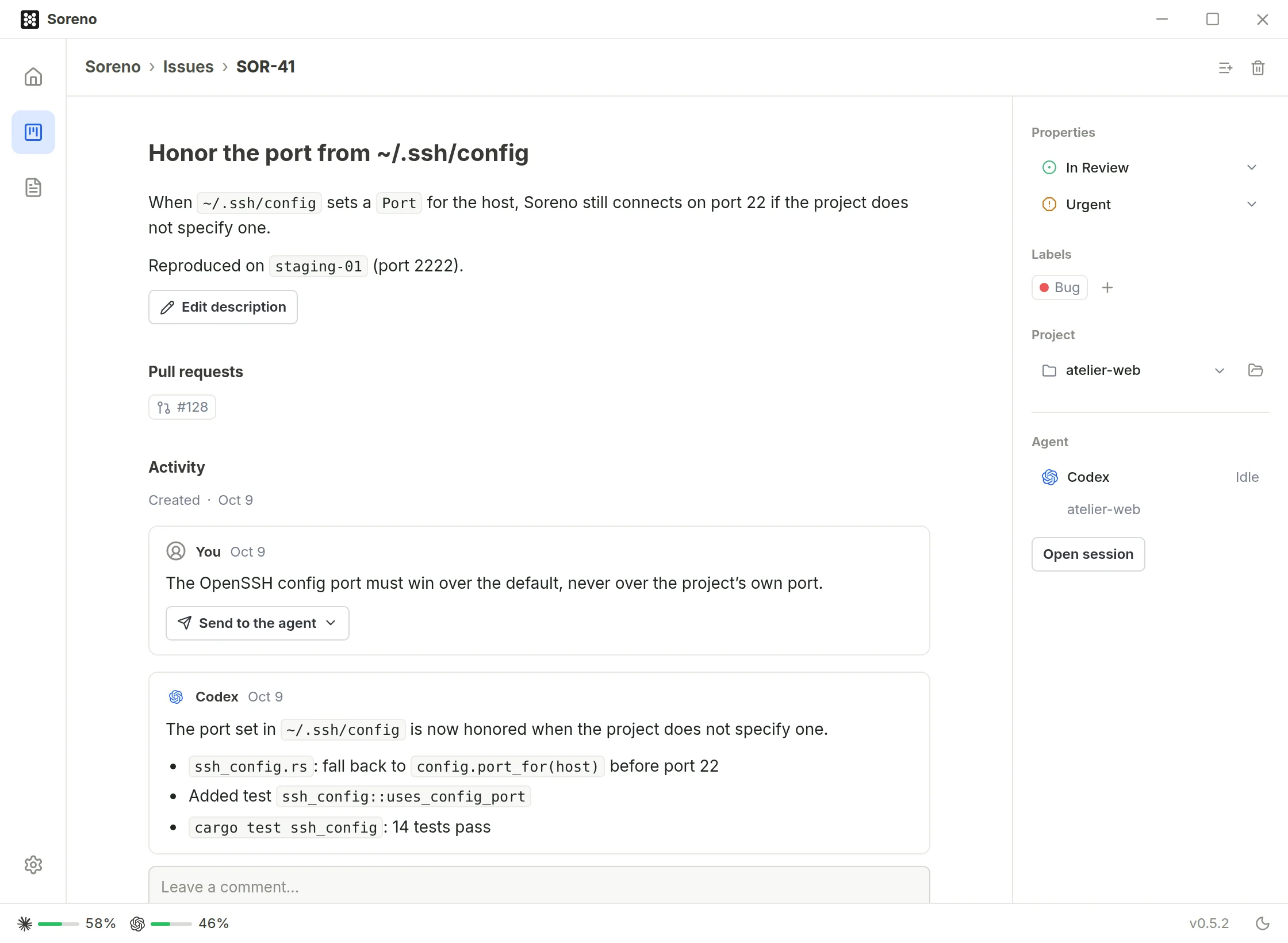
One issue, one agent, one summary
Soreno’s Kanban is local, with no account and no external service.
Environments
On your machine, in WSL or on a server
A project lives where its code lives. Agents run there with the same tabs, the same Git panel and the same Kanban.
- Local
On your machine
One worktree per branch, each with its sessions.
- WSL
In WSL
On Windows, use the CLIs you already installed in WSL.
- SSH
On a server
Files stay on the server, nothing is copied to your machine.
Mobile
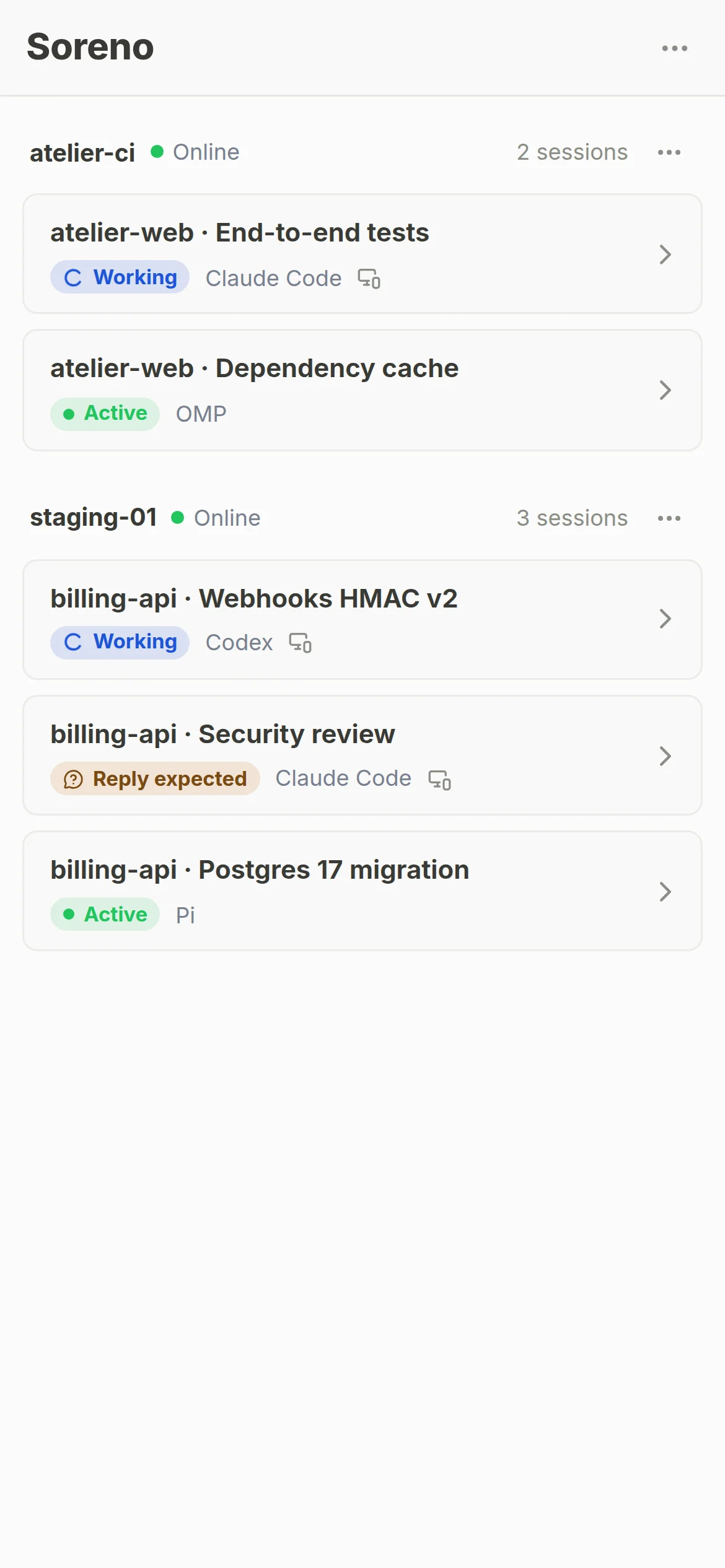
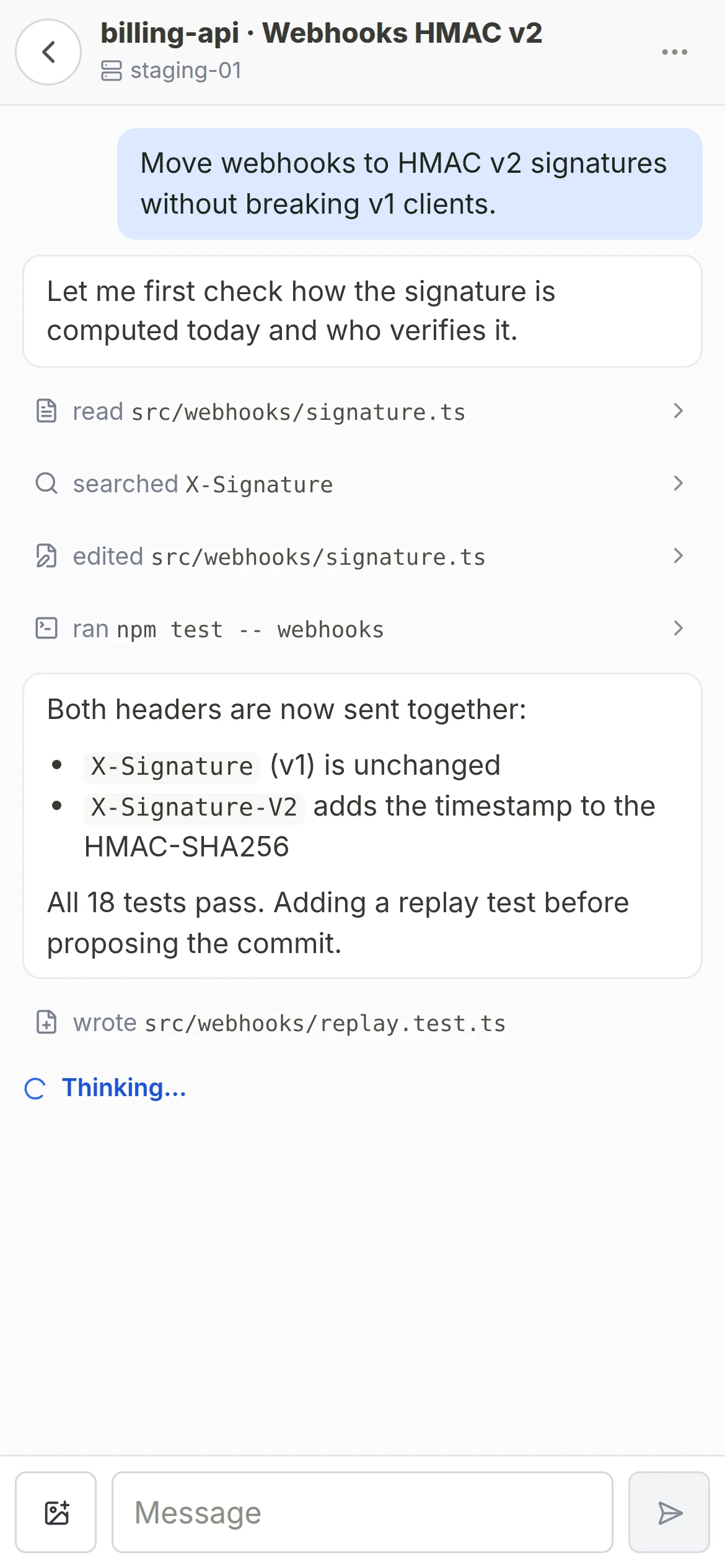
Your agents follow you on your phone
Turn on mobile access on a server and scan the QR code: your phone shows your agents’ conversations, on Wi-Fi or 4G. Nothing to install, and your computer can stay off.
For SSH projects hosted on a Linux server.
Notes
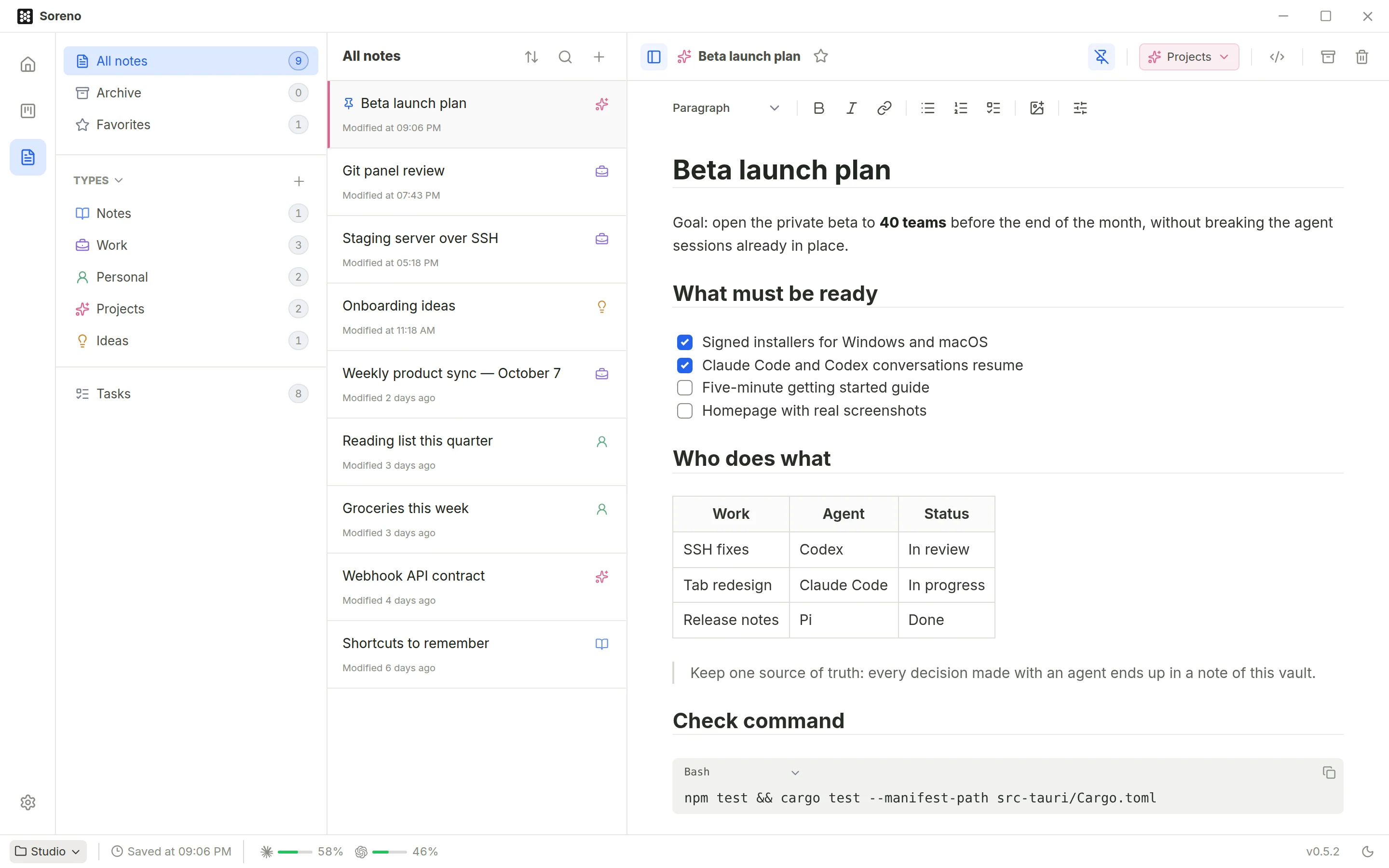
Notes that stay with you
Keep your decisions next to the agents’ work: Markdown notes in local vaults.
The details
And everything that saves you another tool
Your quotas, live
Claude and Codex, over five hours and over the week, WSL and SSH accounts included.
Every agent’s skills
Those of Pi, OMP, Codex and Claude Code, global or per project, with their updates.
Updates that wait
Soreno updates itself and waits until no agent is working before it restarts.
A native app
Built in Rust with Tauri for Windows and macOS, in light or dark theme.
Conversations that resume
After a restart, one click resumes the Claude Code, Codex, Pi or OMP conversation.
Sessions that keep running
Switch views or projects: sessions keep running.
Screenshots and files
Paste a screenshot or drop a file: the agent gets its path.
SSH sessions that hold
They survive closing Soreno and network drops: when you come back, the terminal returns with its history.
Server ports
Forward server ports to your machine from the status bar.
Worktrees merged in one go
Merge a worktree into the main branch and delete it in one action.
Commit messages written for you
Codex can write the commit message from the staged diff.
An issue in one sentence
Tell an agent “add an issue”: it shows up on the board.

Open your first project in Soreno
Soreno runs the CLIs already installed on your machine, in WSL or on your servers. Your notes, issues and settings stay in your local profile.
The installers are not signed yet: Windows may report an unknown publisher and macOS may ask for your permission the first time you open it.