 Soreno
· Since Soreno 0.6.0
Who’s working, who’s waiting for you
Soreno always shows each agent’s state, and tells you when one has finished or is waiting for your reply, locally as well as over SSH or in WSL.
Starting five agents is easy. Knowing which one is done, which one is stuck on a question and which one is still going is harder. Soreno shows it at a glance, and lets you know at the right moment.
Three states, at a glance
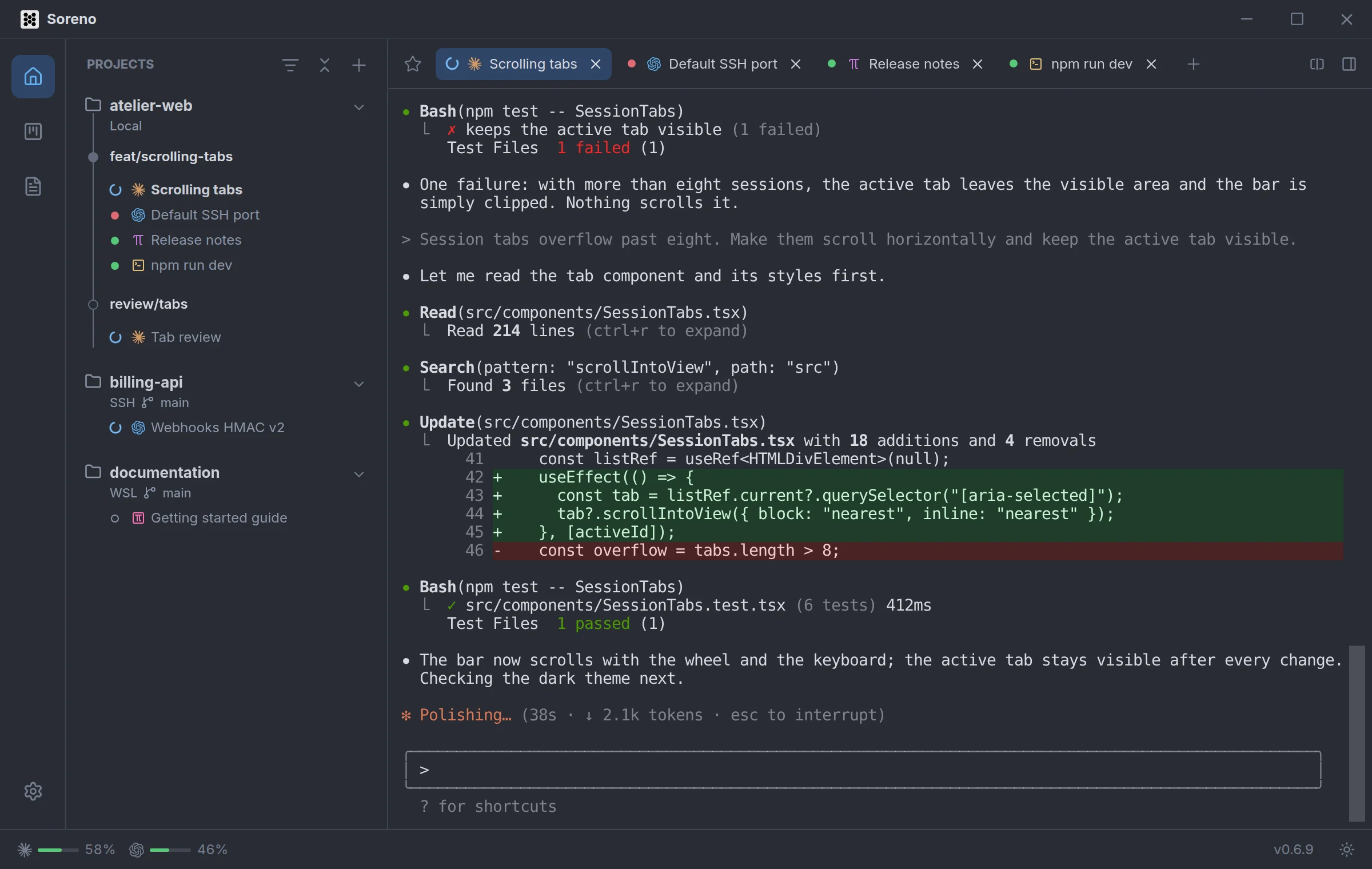
- the blue spinner: the agent is working;
- the red dot: it is waiting for your reply, to a question or for a permission;
- the green dot: it has finished its turn.
These states show next to each session, in the project list as well as in the tabs. Claude Code, Codex, Pi and OMP are all tracked the same way, locally, in WSL or over SSH.
A notification at the right moment
When an agent finishes its turn or waits for your reply, Soreno shows a system notification: the session, the project and the start of its last reply, or “Waiting for your reply”. When several agents report at once, the notification groups them: “3 sessions need you”. One click brings Soreno back on the right session.
Nothing bothers you about the agent already in front of you. But an agent waiting for a permission or a reply stays marked “Agent waiting · reply needed” until you answer, even on screen.
Go straight to the one waiting
The Dock badge on macOS, or the taskbar badge on Windows, counts unread or waiting sessions. Ctrl+Shift+U (Cmd+Shift+U on macOS) opens the next session waiting for you, and Ctrl+Tab moves from one session tab to the next.
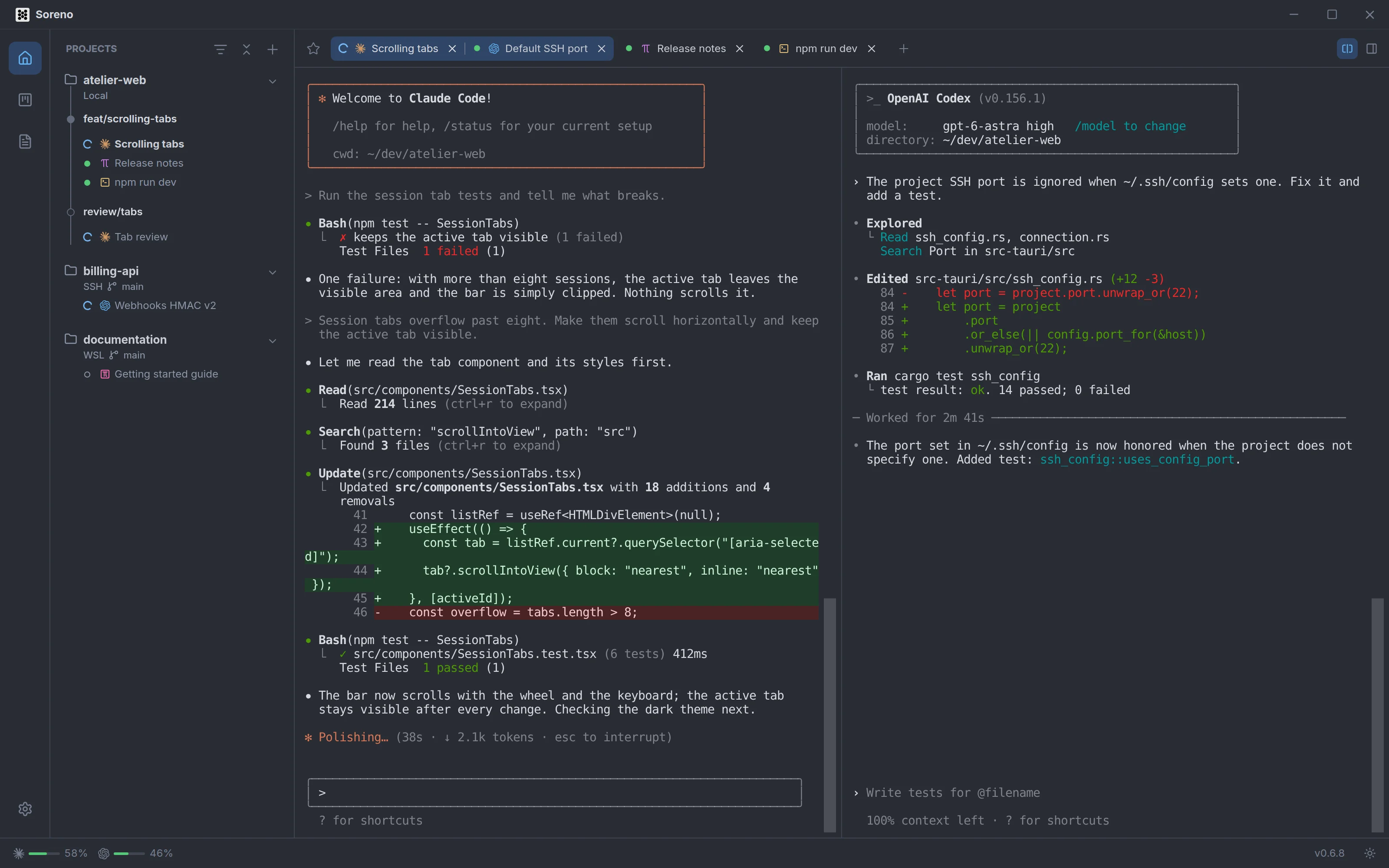
Two agents side by side
To follow two at once in the same project, split the terminal.
Notifications can be turned off in Settings > General > Notifications; Soreno then asks the system for no permission at all.
