 Soreno
· Since Soreno 0.6.6
OMP steps out of the terminal
Soreno’s Chat (OMP) runs OMP in a real conversation: one line per tool, readable diffs, one-click questions, goals, and a session that keeps running when you close Soreno.
Soreno takes a stance: real terminals, running the CLIs you installed. There is one exception, OMP. New session > Chat (OMP) starts it in a conversation view, without a terminal, in your local, WSL or SSH projects. It is your own OMP: its models, accounts and permissions come from its configuration.
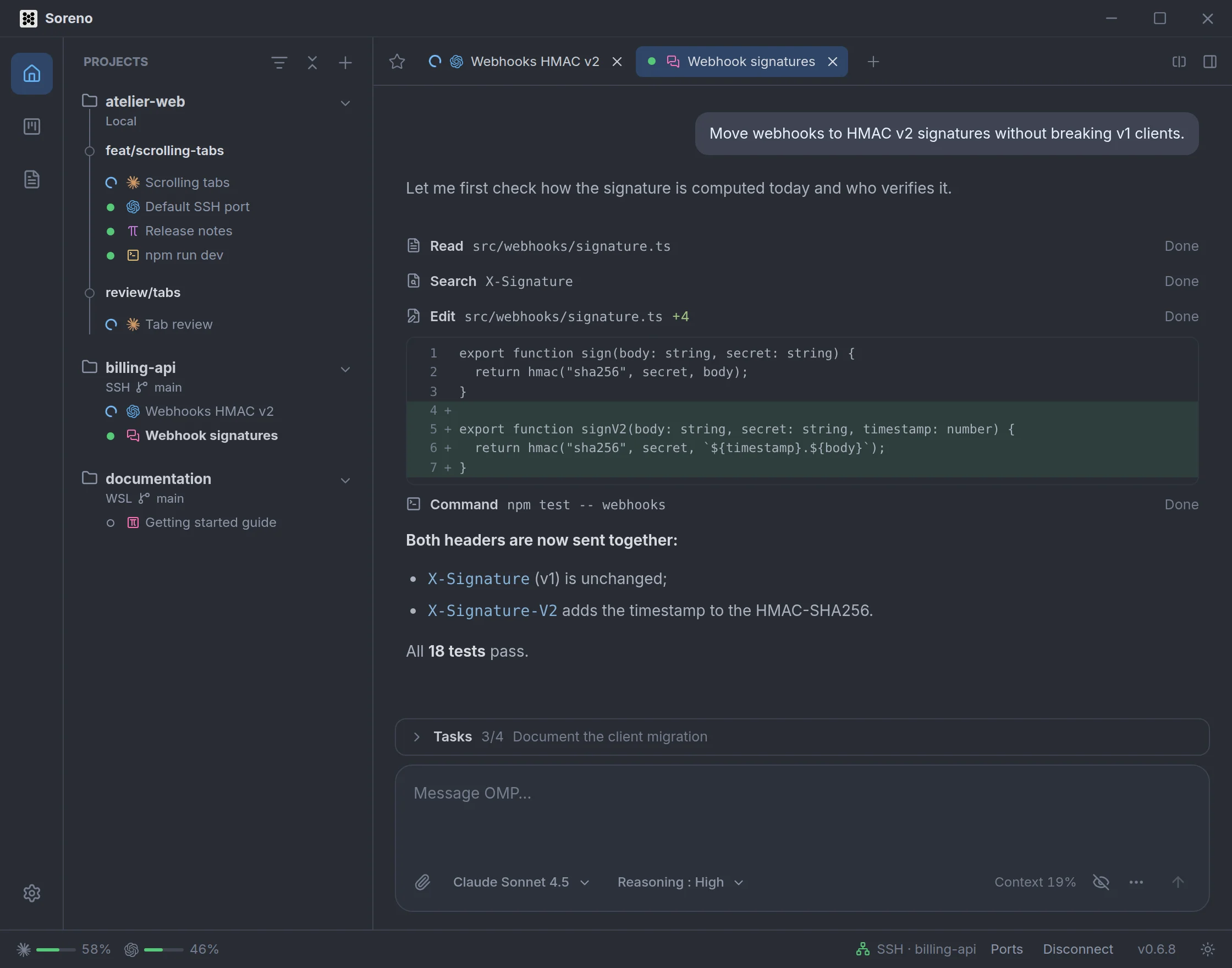
A conversation you can read
Replies stream in as Markdown, Mermaid diagrams included. Each tool fits on one line with its status: read, search, edit, command. One click expands it on the command’s output or the edit’s diff.
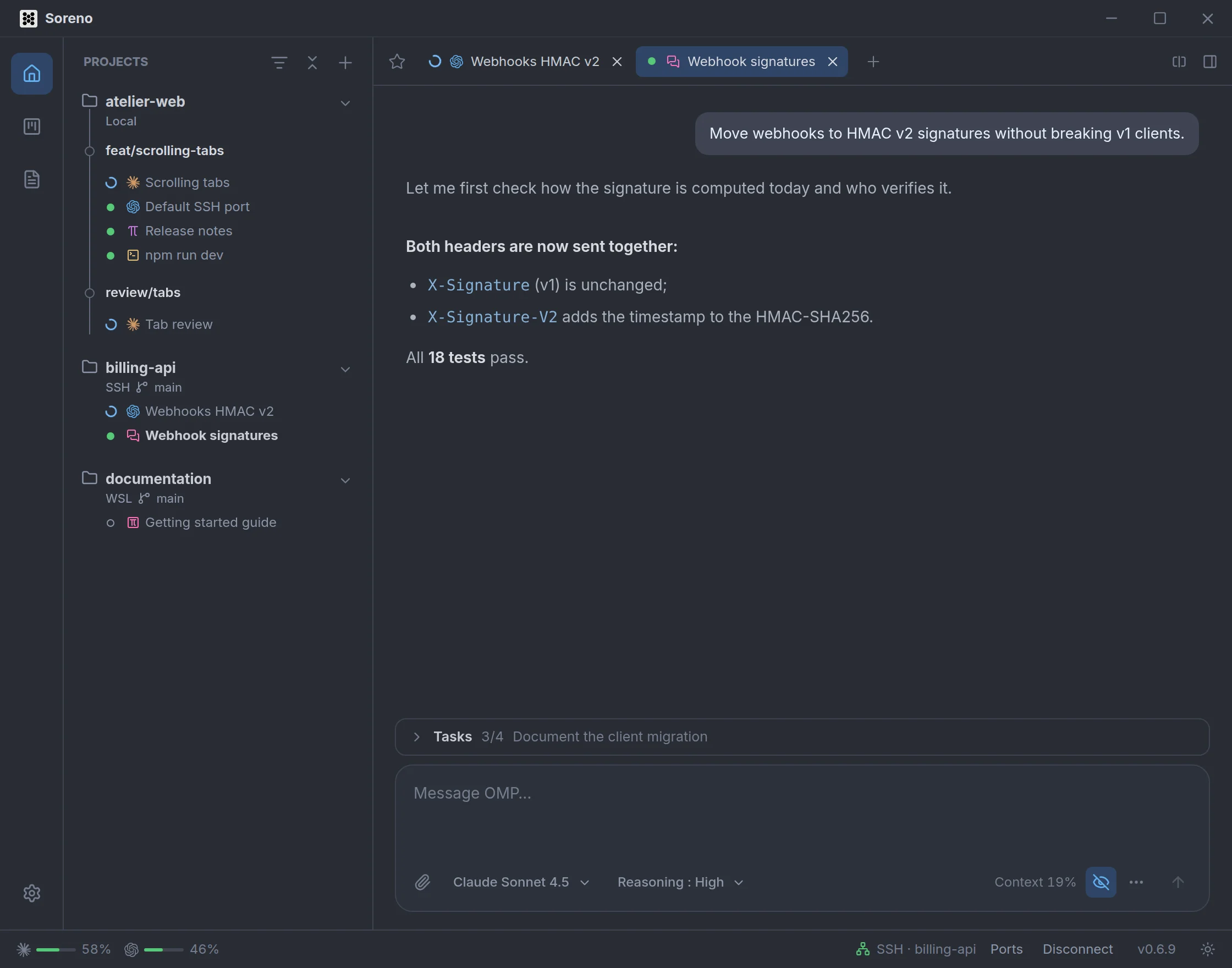
Just the replies
Don’t want to follow every file read? The eye under the input, next to the context, hides tools and reasoning: only your messages and OMP’s replies remain. Subagents stay visible. The choice applies to every conversation and Soreno remembers it; one more click brings everything back.
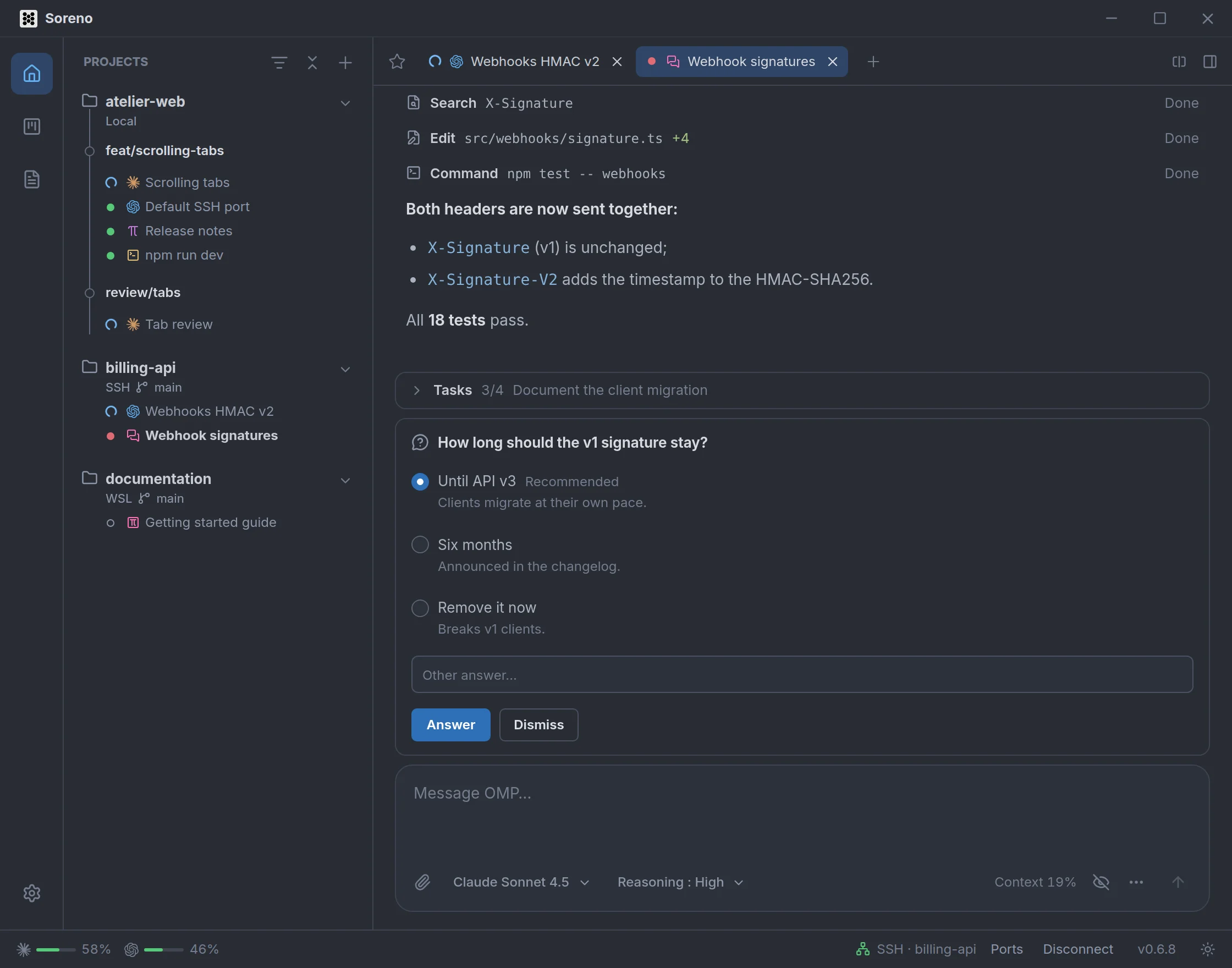
Its questions, one click away
When OMP asks for a permission or a question, it shows above the input, with the advised answer marked “Recommended”. One click does it, or Enter and Esc. Meanwhile the session turns red in the sidebar: you know OMP is waiting for you, even from another project.
Everything at hand
- the model, searchable by name or provider, and the reasoning level;
- context usage, with tokens and cost on hover;
@to mention a project file, recent ones first, and/for OMP’s commands and your skills;- attachments, pasted, dropped or picked with the paperclip: images, text files or any other file;
- OMP’s task list and its subagents, above the input;
- messages sent while OMP works, which wait their turn and can be cancelled; the up arrow brings back earlier ones.
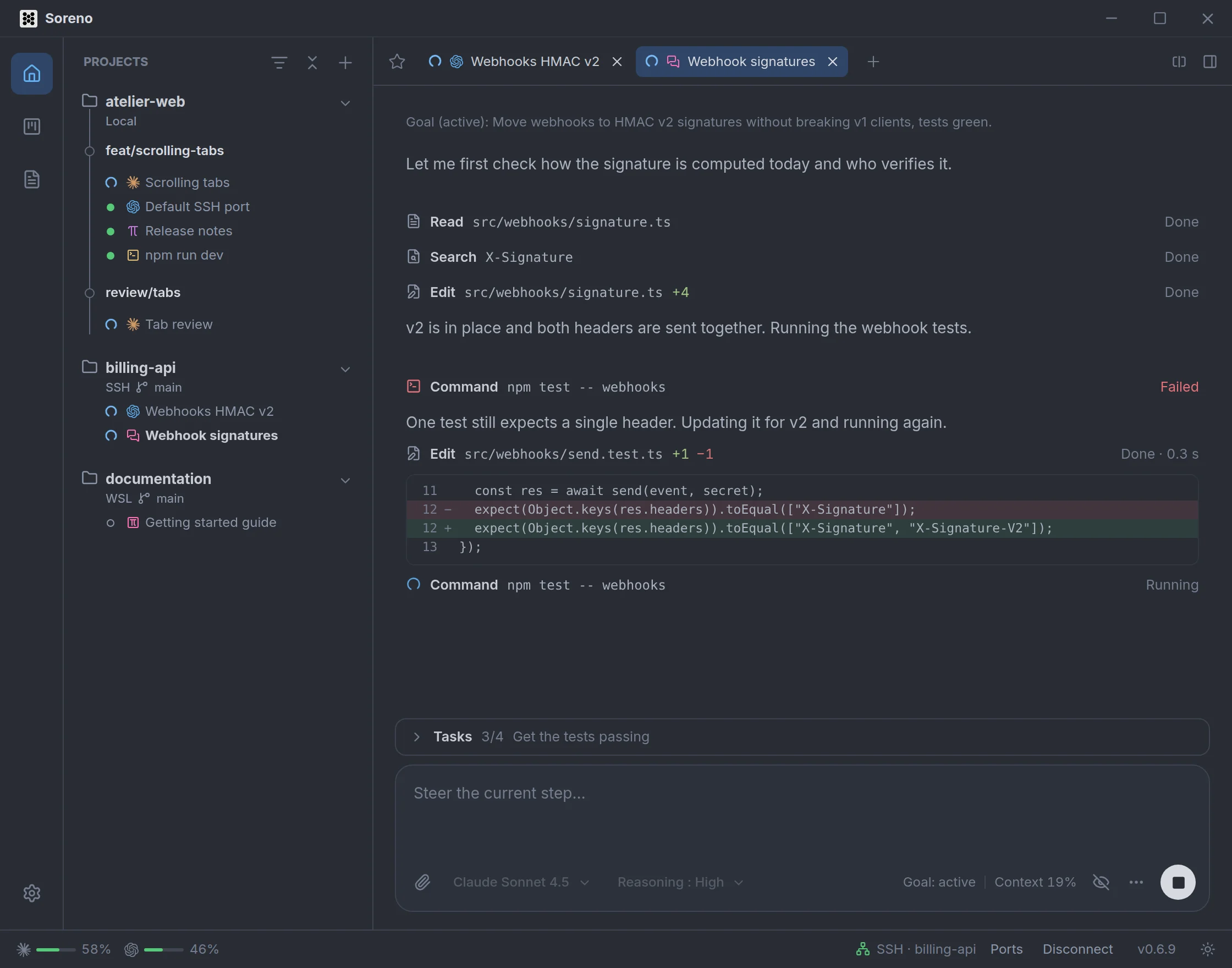
All the way to a goal
/goal followed by a goal, and OMP keeps taking turns, without waiting for your message, until it gets there: it runs the tests, fixes what breaks, runs them again. The goal’s status shows under the input; /goal pause, resume or drop pause, resume or drop it.
It keeps going when you close Soreno
On a Linux server over SSH, the conversation keeps running when you close Soreno or lose the connection. OMP finishes its turn; reopen the session and there it is, its questions still waiting. Resume a conversation…, in the … menu, also reopens the project’s earlier conversations.
Wired into the rest of Soreno
Remarks left on a diff in the Git panel and Kanban comments sent to the agent land straight in the conversation. OMP creates a Kanban issue when you ask it to. And after a merge conflict in a worktree, Resolve with an agent opens a Chat (OMP) to sort it out.
All it needs is OMP installed in the project’s environment; Soreno tells you when a newer version is available.
