 Soreno
· Since Soreno 0.7.0
/mockup: the mockup before the code
In Soreno 0.7.0’s Chat (OMP), /mockup asks OMP for an HTML mockup, shown next to the conversation. Click an element to tweak it, and compare a question’s options side by side.
Describing a screen in words leaves the agent to picture it its own way. Since Soreno 0.7.0, Chat (OMP) can show you first: /mockup followed by the subject, and OMP replies with an HTML mockup, shown next to the conversation, without touching a file.
One question, three variants
During a /grill interview, Mock up this question sets the current question aside and asks OMP for one variant per option: A, B, C, side by side, on the same content. Then it asks you the question again. You answer looking at all three, and the answer joins the interview’s decisions.
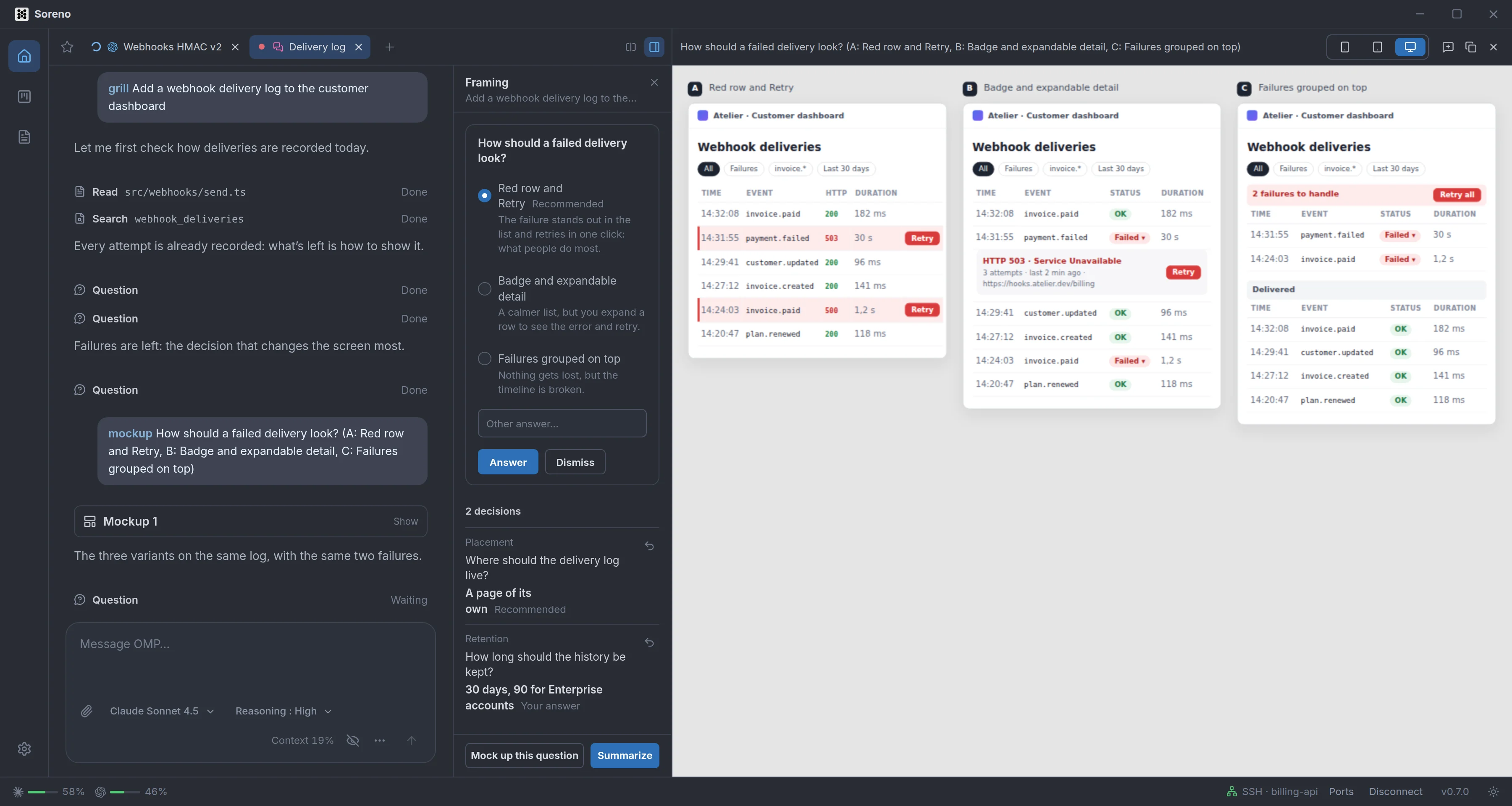
Mobile, tablet or desktop
The preview takes the project tools’ place. The mockup shows there at Mobile, Tablet or Desktop width, scaled down to fit the panel; the choice is remembered. The arrows step through the conversation’s mockups, and Copy HTML grabs the one shown. In the conversation, each mockup fits on a card, Mockup 1, Mockup 2…, which reopens the preview.
Click, comment, OMP tweaks it
In the preview, the hovered element gets outlined. A click opens a comment right next to it: write what should change, Send. OMP gets the mockup in question and the element you picked, starts from that version and changes only what you ask; the preview switches to the new version as soon as it arrives. A click on the background comments on the whole mockup.
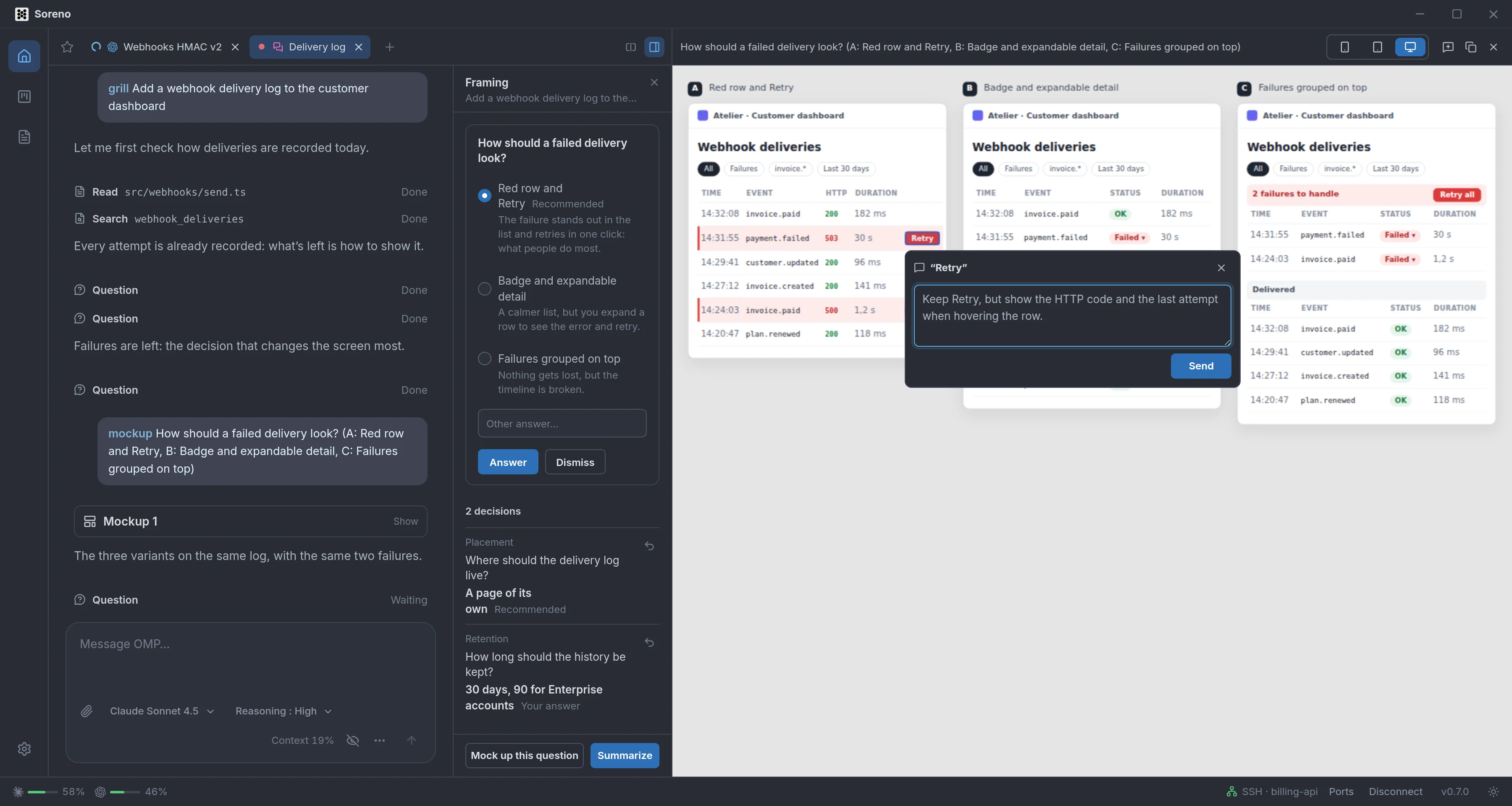
If a question was waiting for its answer, it is set aside and OMP asks it again after the new version: tweak as much as you like, then answer on the final one.
True to the project, and safe
OMP follows the project’s style when it has one: it explores its components and colors before drawing. The mockup is a self-contained HTML document, with no external resource and no JavaScript, shown in an isolated frame that loads nothing. A faithful mockup can take a few minutes: the preview shows where OMP is at, and how much it has written.
Without a subject, /mockup mocks up what the conversation is currently deciding. And in the Framing column, Mock up prepares the command in the input.
