 Soreno
· Since Soreno 0.1.14
One agent for several repositories
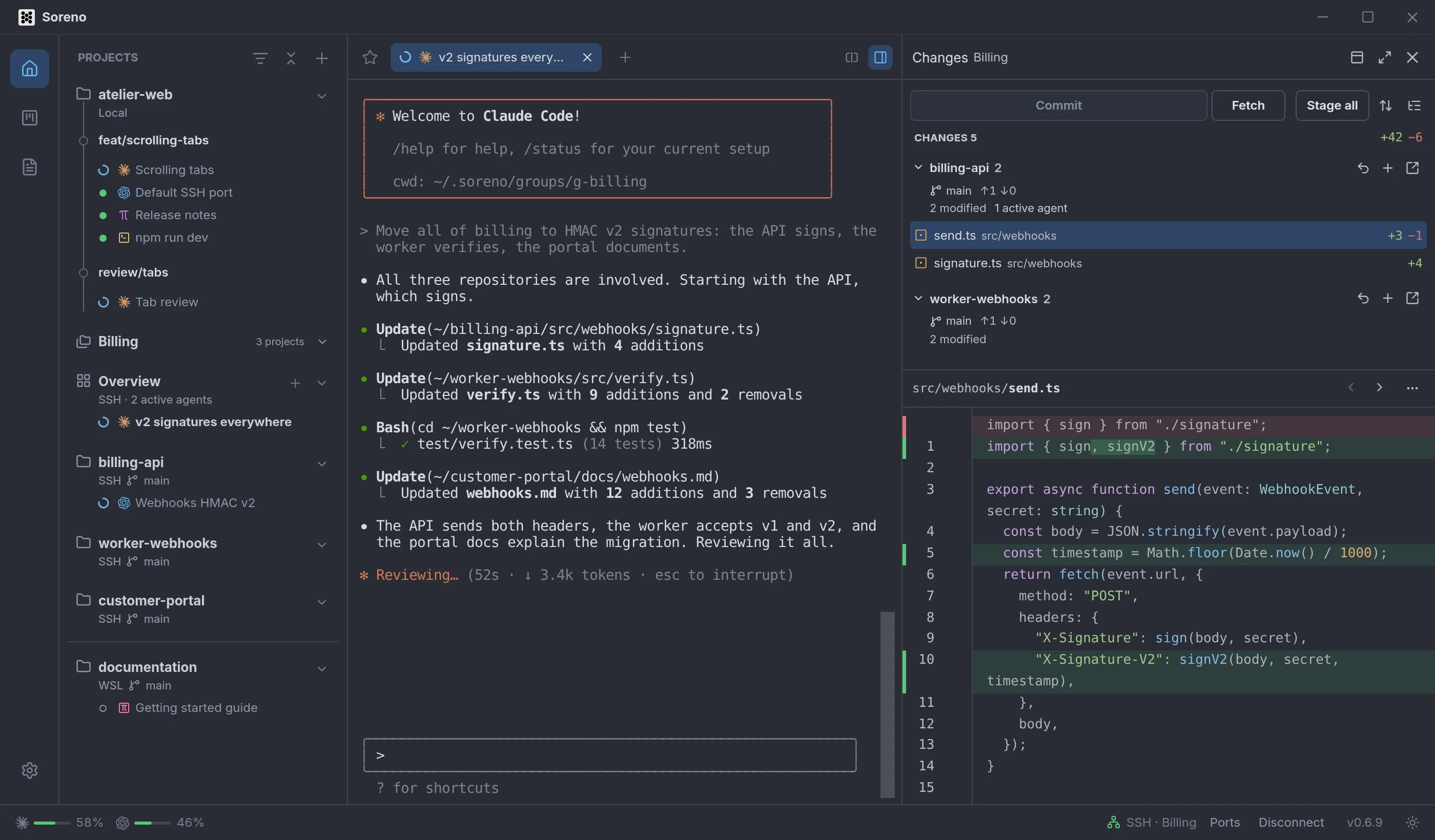
In Soreno, a project group has its overview: an agent that works across all the group’s repositories at once, and their changes gathered in one Git panel.
A feature rarely touches a single repository: the API signs, the worker verifies, the portal documents. In Soreno, those projects come together in a group, and the group has its own agent.
One group, one overview
A group brings together projects on the same machine: locally, in the same WSL distribution or on the same SSH server. In the project list, it gets an Overview row, whose + starts a group agent. It works in a folder of the group’s own, which Soreno creates on the projects’ machine.
An agent that sees every repository
Soreno starts the group agent with the group’s repositories: Claude Code and OMP get their list and access to their folders, Pi the list only, Codex access to the folders only. You hand over the task once; it moves from one repository to the next.
The whole group’s changes
With the overview selected, the right panel lists the repositories with changes: their branch, how far ahead or behind they are, their modified files and the agents working in them. Expand a repository to see its files and their diff. Stage, unstage or discard file by file, or stage the whole group with Stage all. Commit records each repository’s staged changes with the same message, and Fetch pulls updates for all of them.
The panel refreshes when an agent finishes its turn. Its diff takes line comments, sent to an agent of the group or of that repository, just like a project’s Git panel.
For an SSH server, tick Select multiple projects when adding the folders, then Create a group with the selected projects: the group is made in one go. Deleting a group deletes its overview’s sessions, not its projects.
