 Soreno
· Since Soreno 0.9.0
Automations: your agents at work on a schedule, even with Soreno closed
Soreno 0.9.0 starts your agents at a set time on your SSH servers: a project, an agent, a prompt and a schedule. The session then waits for you in Soreno, even if your computer was off.
Some chores come back every day: reviewing dependencies, triaging last night’s errors, drafting release notes. Since Soreno 0.9.0, an agent can take care of them on its own, at a set time, on your server.
An agent, a prompt, a schedule
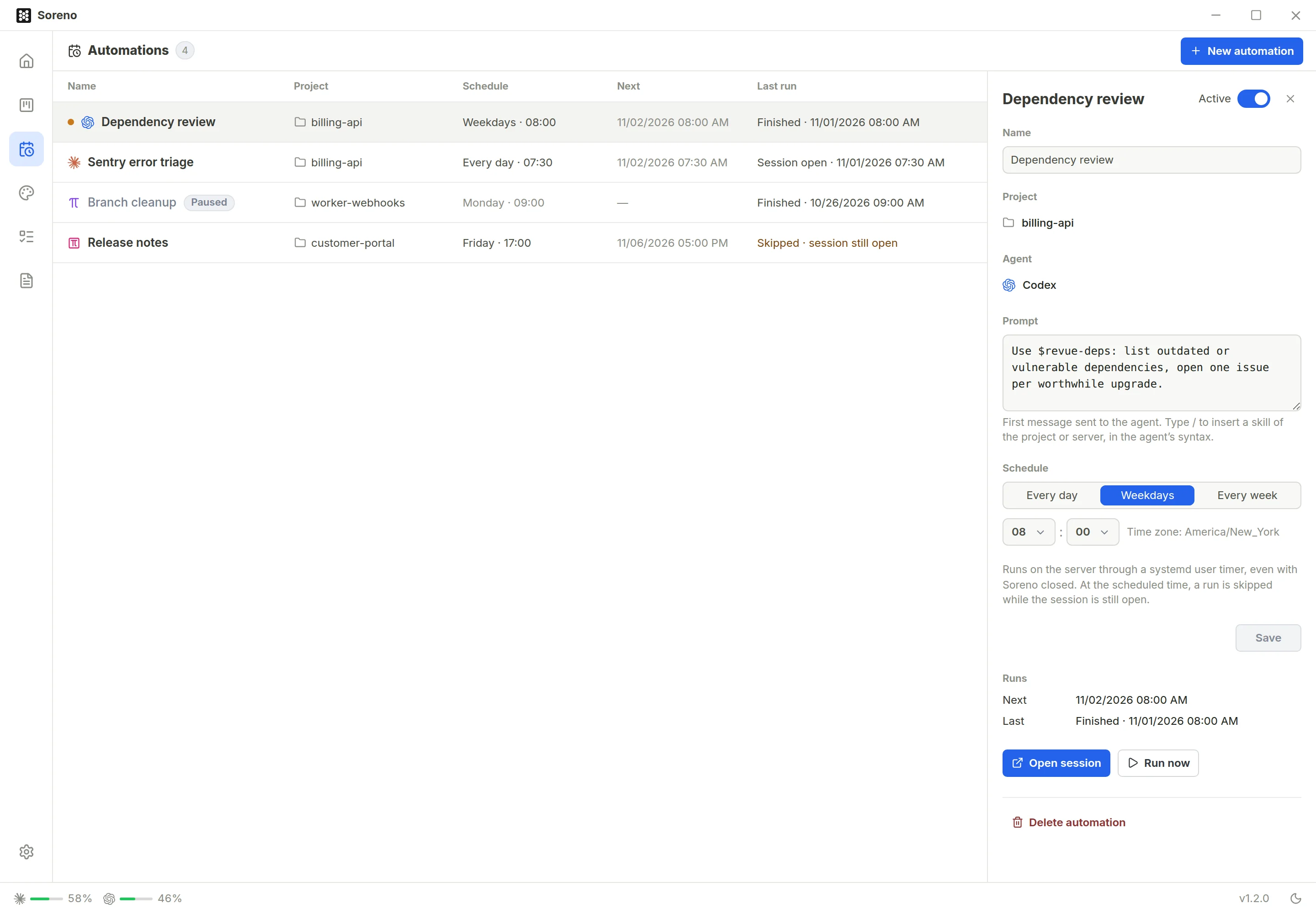
The new Automations view, the calendar icon in the left bar, gathers your automations. Each one pairs an SSH project, an agent, Claude Code, Codex, Pi or OMP, a prompt and a schedule: every day, Monday to Friday or once a week, at the time you choose.
Your skills, in the agent’s syntax
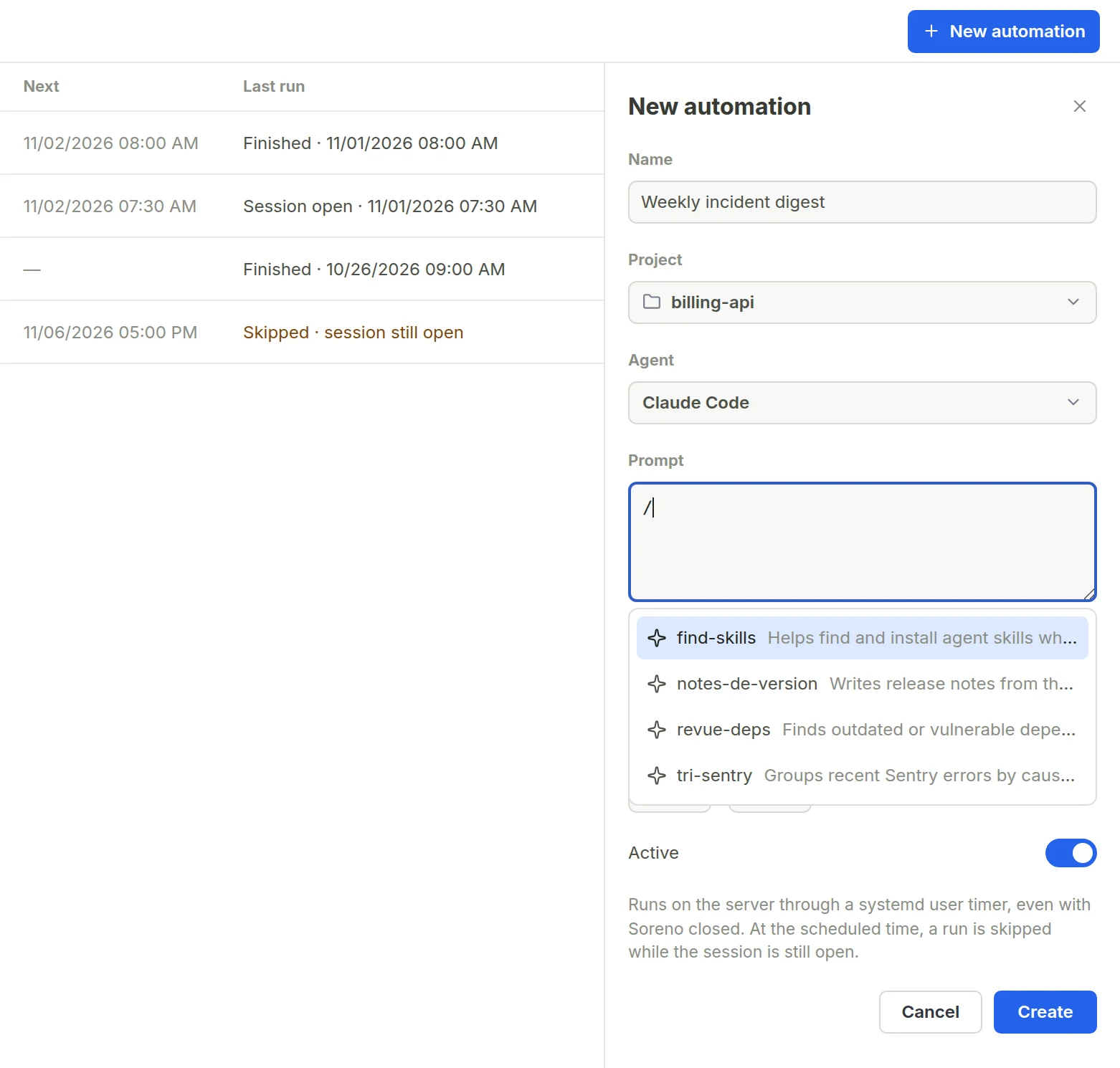
The prompt is the agent’s first message. Type /: Soreno lists the project’s and the server’s skills, and writes your pick the way the agent expects it, /revue-deps for Claude Code, $revue-deps for Codex, /skill:revue-deps for Pi and OMP. A skill you run by hand becomes a one-line routine.
It runs on the server, not on your machine
Create installs a systemd timer on the server. At the set time, the agent starts in the automation’s session, even if Soreno is closed and your computer is off. It stays open at the end of its turn: if it has a question or asks for a permission, it waits for you. And if the previous run is still going, the next one is skipped rather than replacing it.
In the morning, it’s all waiting in Soreno
Each automation has its favorite session in the project. The list shows the next run and the last one, Finished, Session open, Skipped or Failed, and a dot flags the one you haven’t opened yet. Open session attaches you to it: you find what the agent did while you were away, and you can take over.
Always in control
Run now starts a run right away, handy to try out a prompt. The Active switch pauses the automation or resumes it at once. The name, prompt and schedule can be changed at any time, and Delete automation removes the timer from the server while keeping the session.
You need a Linux server running systemd, with systemctl --user. All the details are in the Automations page of the documentation.
