 Soreno
Blog
What’s new in Soreno
Every new Soreno feature, explained and shown on the app just as you will see it.
· Since Soreno 0.7.0
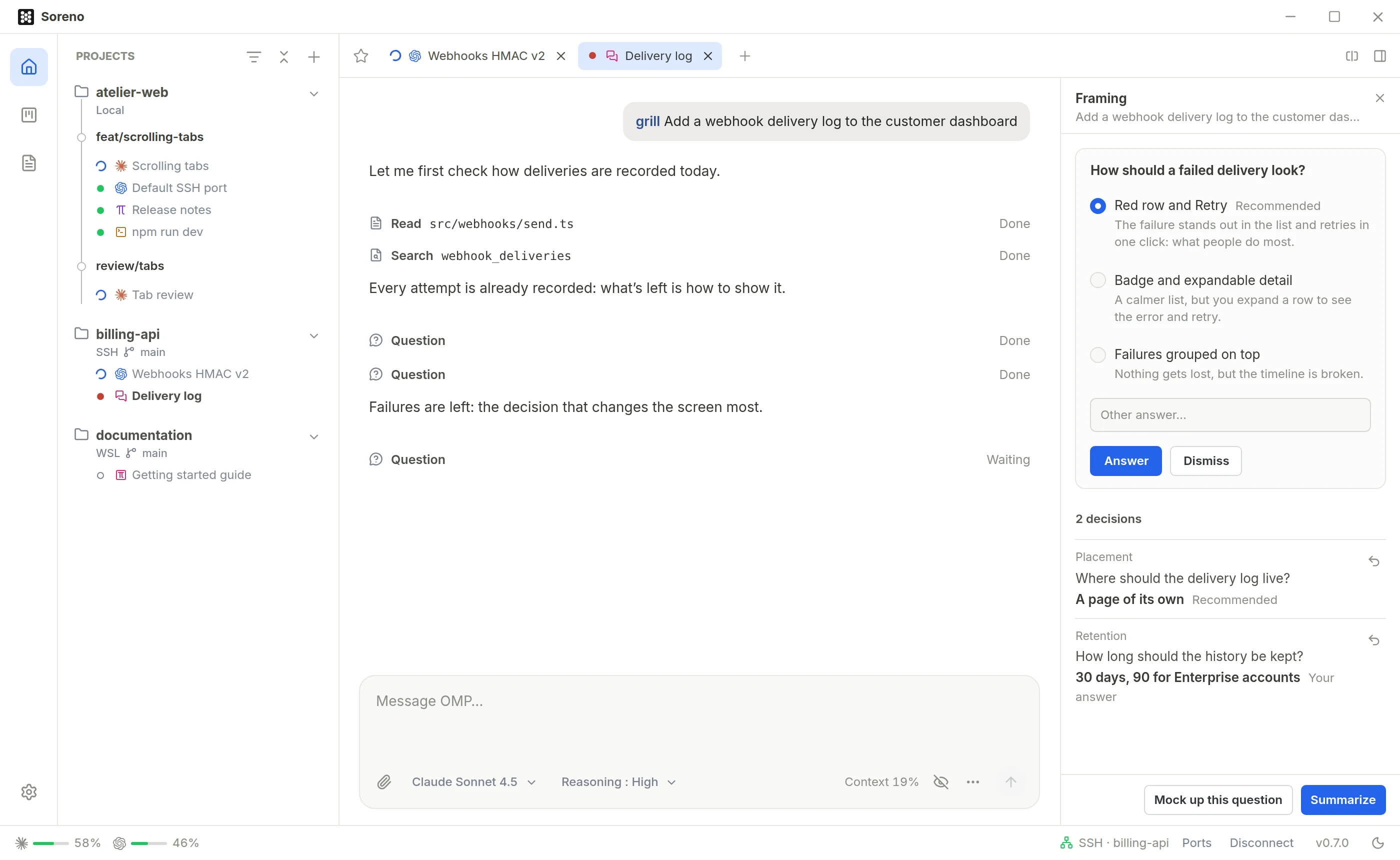
/grill: OMP asks the right questions before coding
In Soreno 0.7.0’s Chat (OMP), /grill starts a framing interview: OMP explores the code, then asks its questions one at a time, with its recommendation. Decisions pile up in a column, all the way to the summary.
· Since Soreno 0.7.0
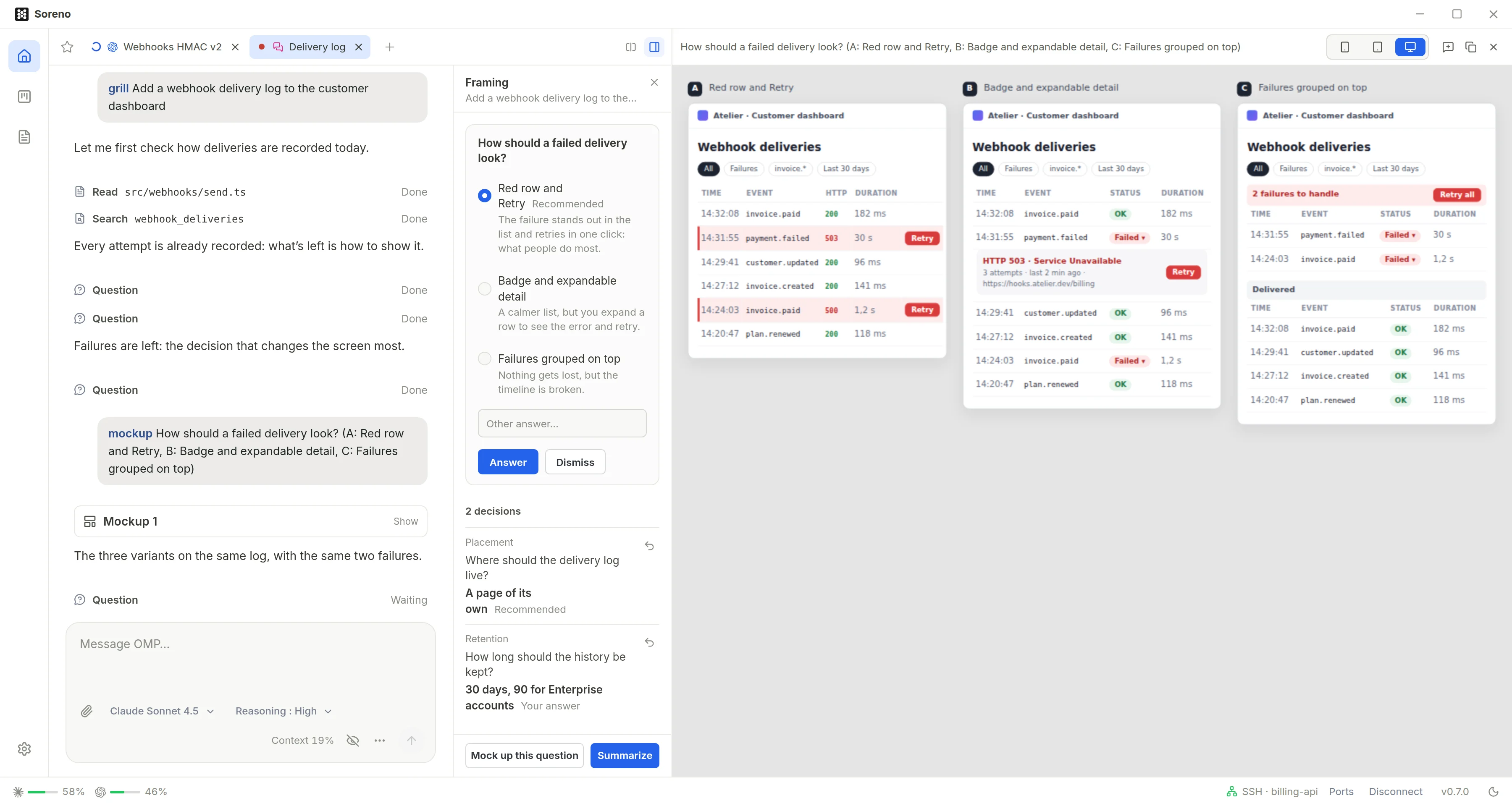
/mockup: the mockup before the code
In Soreno 0.7.0’s Chat (OMP), /mockup asks OMP for an HTML mockup, shown next to the conversation. Click an element to tweak it, and compare a question’s options side by side.
· Since Soreno 0.1.14
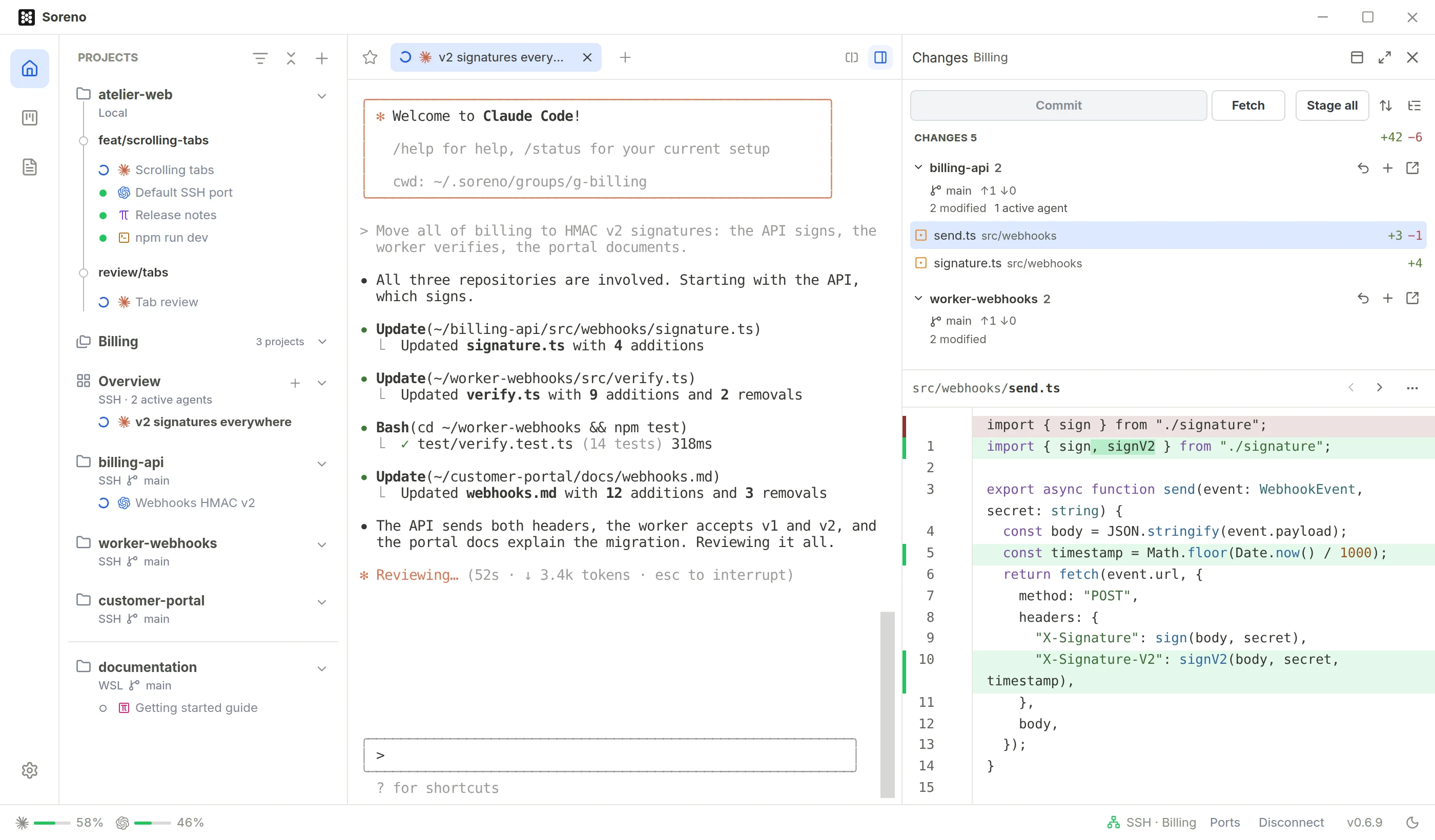
One agent for several repositories
In Soreno, a project group has its overview: an agent that works across all the group’s repositories at once, and their changes gathered in one Git panel.
· Since Soreno 0.1.9
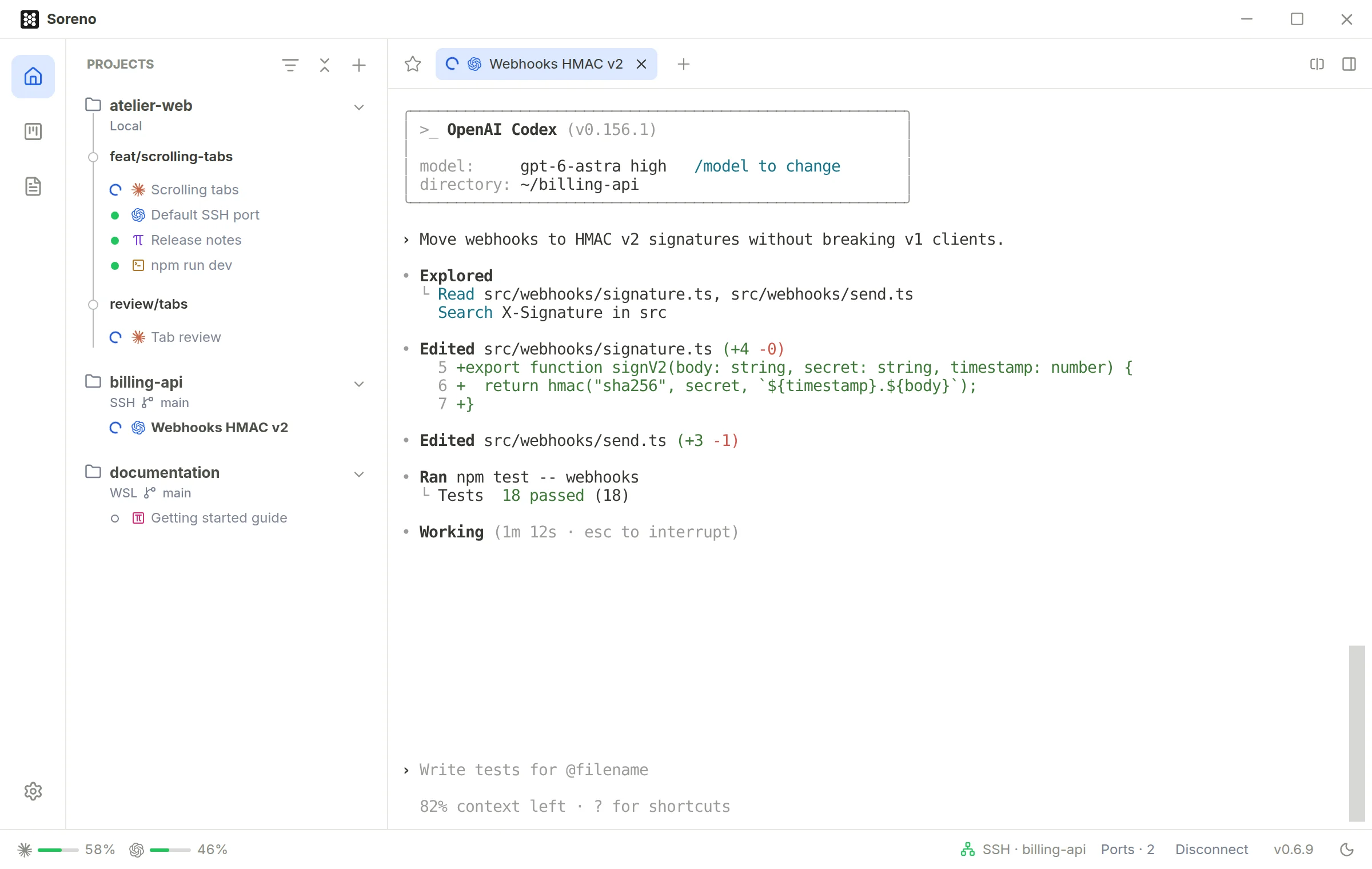
Your agents run on your servers
Soreno runs Claude Code, Codex, Pi and OMP on your SSH servers. Close Soreno and they keep going; reopen the session and everything is there. And your dev server opens in your browser.
· Since Soreno 0.1.9
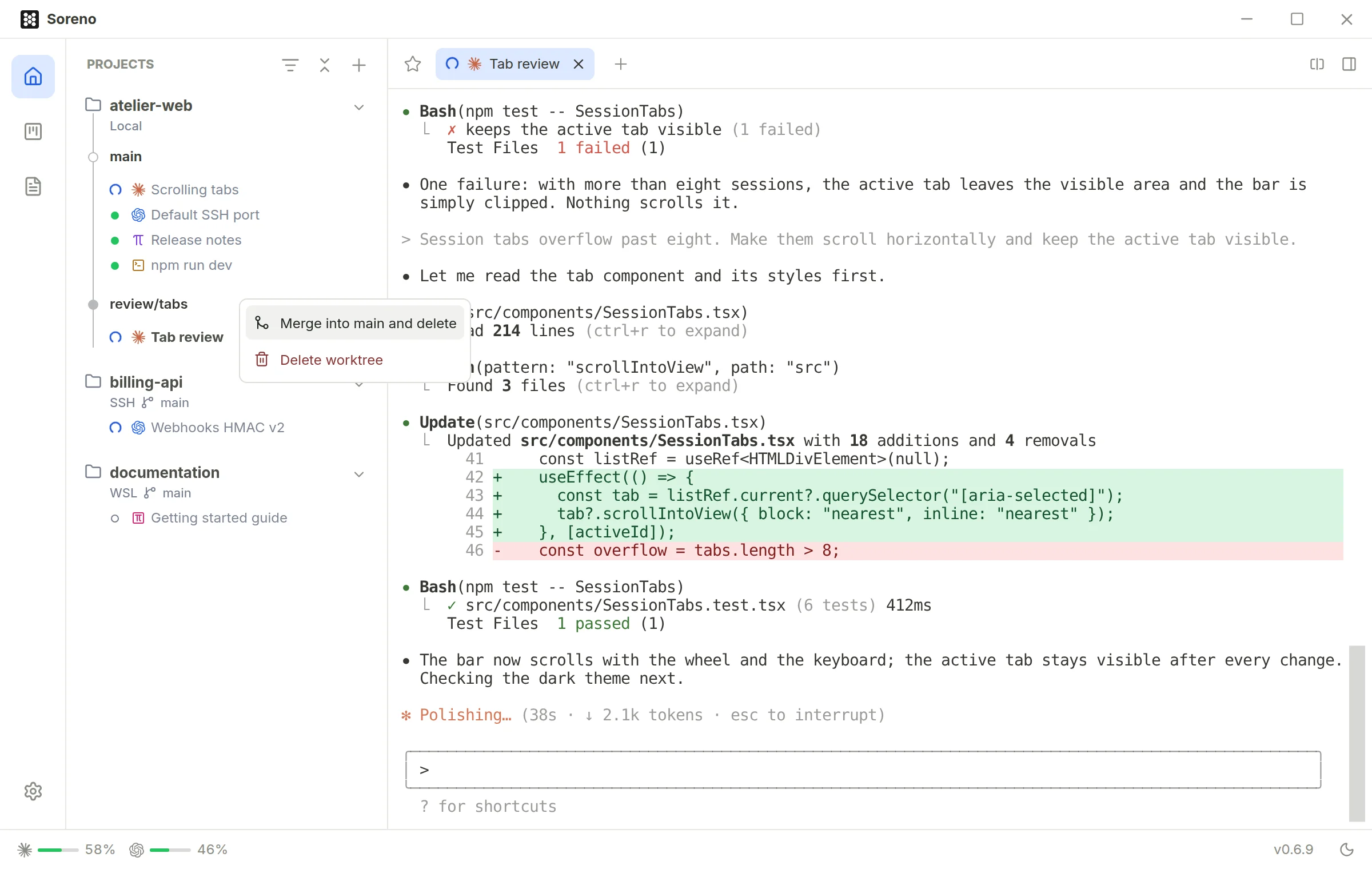
One worktree per task, merged in one move
In Soreno, each agent can work in its own worktree, on its own branch. When it’s done, one click merges and cleans up, and an agent sorts out any conflicts.
· Since Soreno 0.6.6
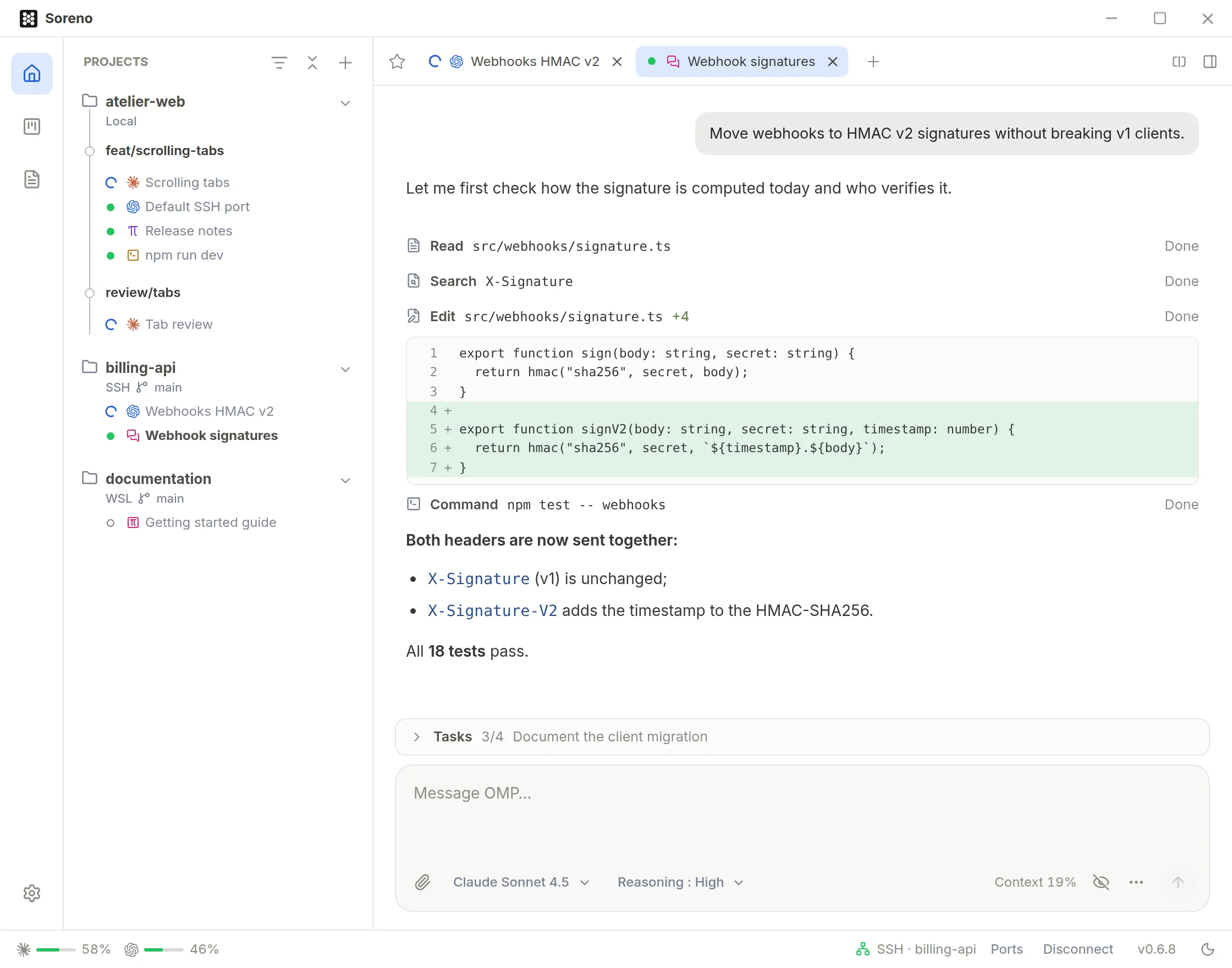
OMP steps out of the terminal
Soreno’s Chat (OMP) runs OMP in a real conversation: one line per tool, readable diffs, one-click questions, goals, and a session that keeps running when you close Soreno.
· Since Soreno 0.6.2
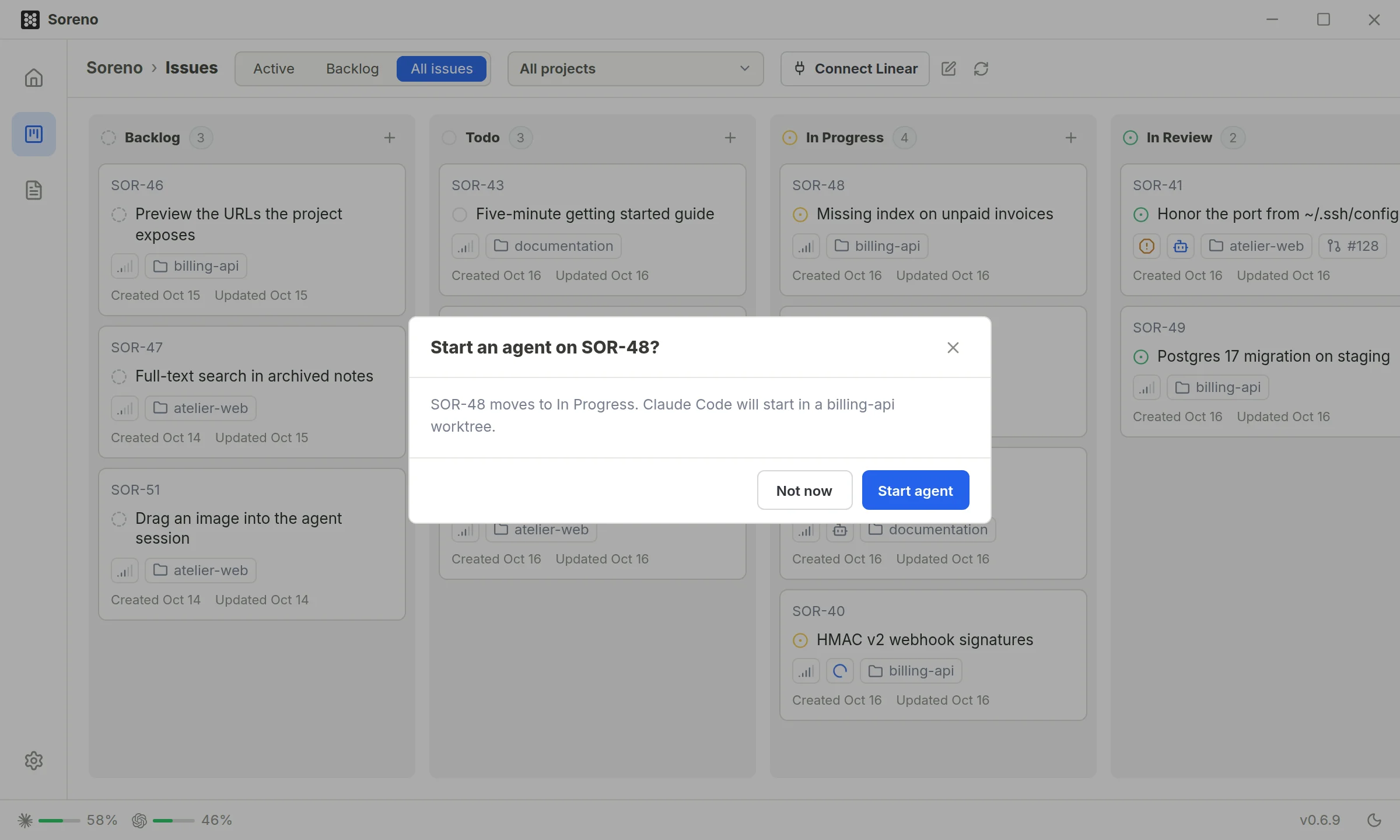
Drag an issue, an agent starts
In Soreno’s Kanban, dropping an issue into In Progress starts an agent in a worktree of the right project. Its summary comes back as a comment, and your Linear issues get the same treatment.
· Since Soreno 0.6.0
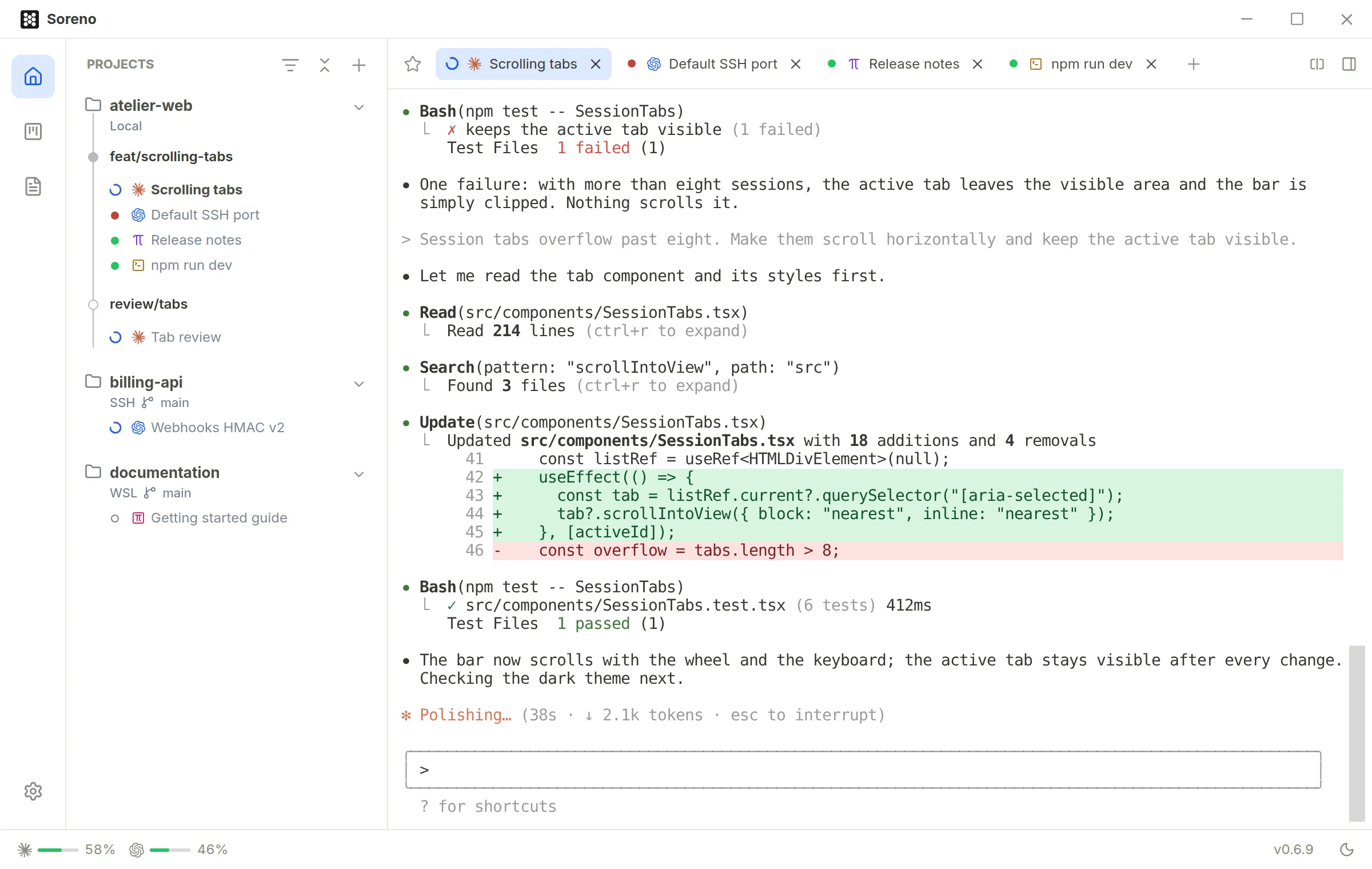
Who’s working, who’s waiting for you
Soreno always shows each agent’s state, and tells you when one has finished or is waiting for your reply, locally as well as over SSH or in WSL.
· Since Soreno 0.3.7
Review the diff, the agent fixes it
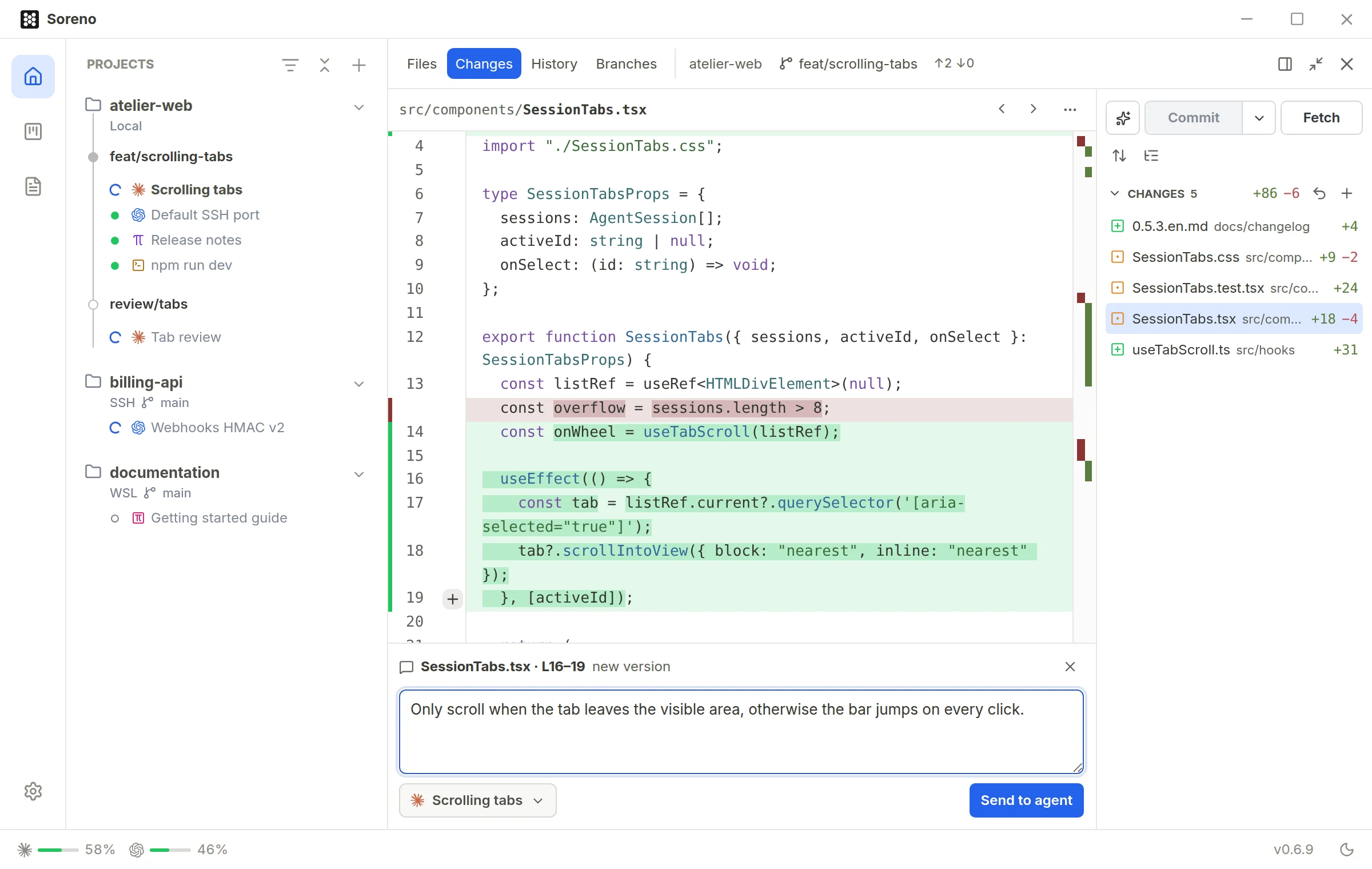
In Soreno’s Git panel, comment on a line of the diff as in a pull request: the remark goes to the agent, which fixes it. Then commit in one click.

Open your first project in Soreno
Soreno runs the CLIs already installed on your machine, in WSL or on your servers. Your notes, settings and local issues stay in your profile.
The macOS app is signed and notarized by Apple. The Windows installer isn’t signed yet: Windows may report an unknown publisher.