 Soreno
· Since Soreno 1.2.0
Design: the screen before the code
Soreno 1.2.0 adds the Design view: a whiteboard where Claude Code, Codex or OMP draws your screens in HTML/CSS. You tweak them frame by frame, then a coding agent implements them in the project.
Describing a screen in words leaves the agent to picture it its own way, and you find out once the code is written. Since Soreno 1.2.0, the Design view shows you first: an agent draws the screen in HTML/CSS on a whiteboard, you tweak it, then a coding agent reproduces it in the project.
A board, frames
The palette icon in the activity bar opens Design. New board asks for a name, a project and an agent: Claude Code, Codex or OMP. It starts with the board and draws what you ask for, each screen in its own frame. You only see the result; its terminal stays within reach, under Logs.
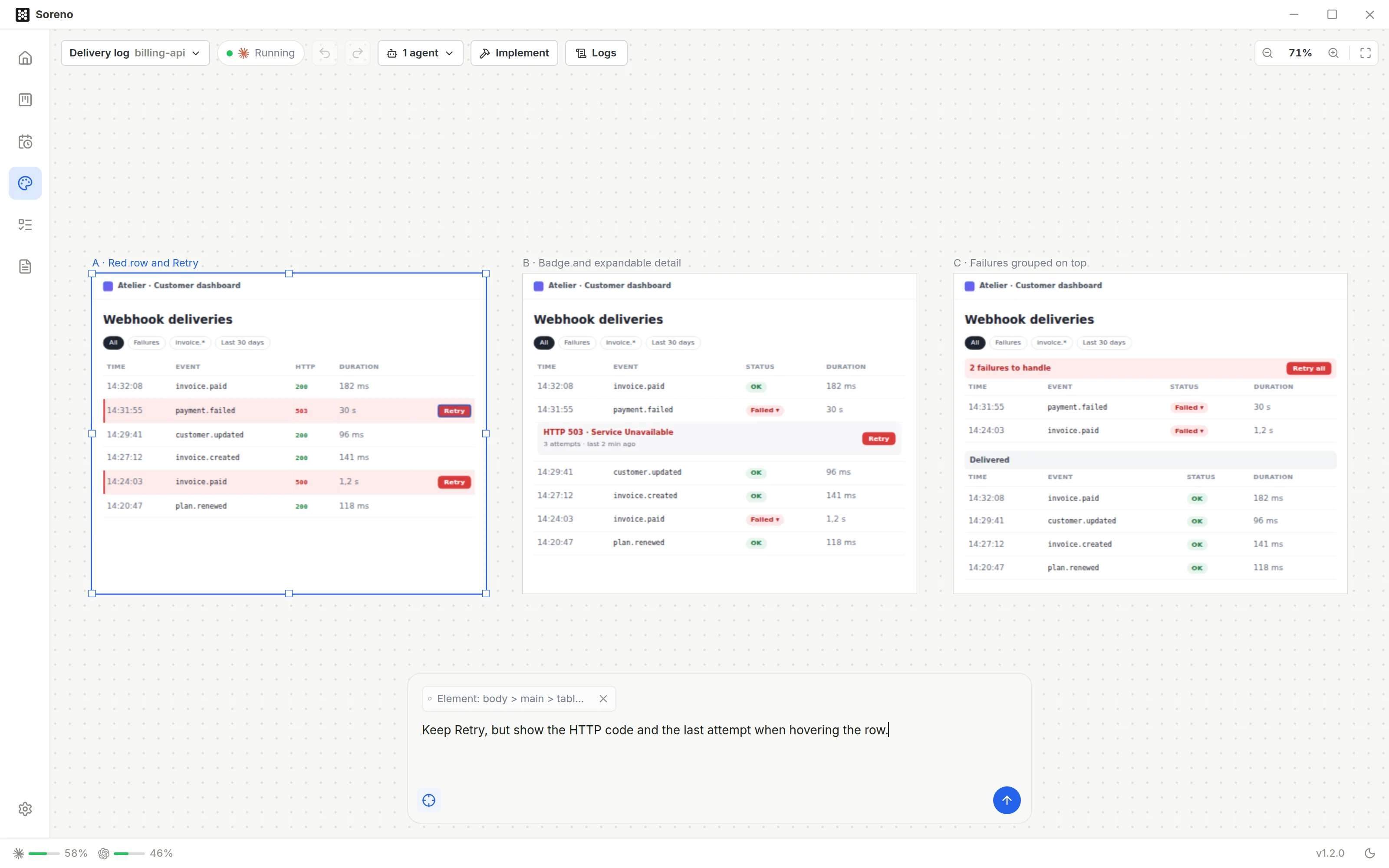
Frames move, resize and duplicate; they snap to the edges and centers of the others. Undo and Redo take back your moves, and Shift+1 shows the whole board.
Aim, ask
The prompt bar, at the bottom, talks to the agent about the whole board or the selected frame. To get closer, turn on targeting, or T, and click an element in a frame: the agent gets the frame and the element, with your request. Several takes compare side by side, on the same content.
Frames are shown isolated: no agent script runs in them, nothing external loads. They are stored in Soreno, never in your repositories.
From design to code
Once the screen is settled, Implement starts a coding agent on the whole board or the selected frame, in a dedicated worktree if you keep it checked, with your instructions if needed. Each frame is attached as an HTML file, with the instruction to reproduce it with the project’s code, without copying that HTML.
An agent already at work can follow a board too. In the Projects space, the palette icon of the session tabs opens the Design panel: create a design or link an existing board. The panel then shows a preview of the board, Edit in Design and Send latest version, which passes your changes on.
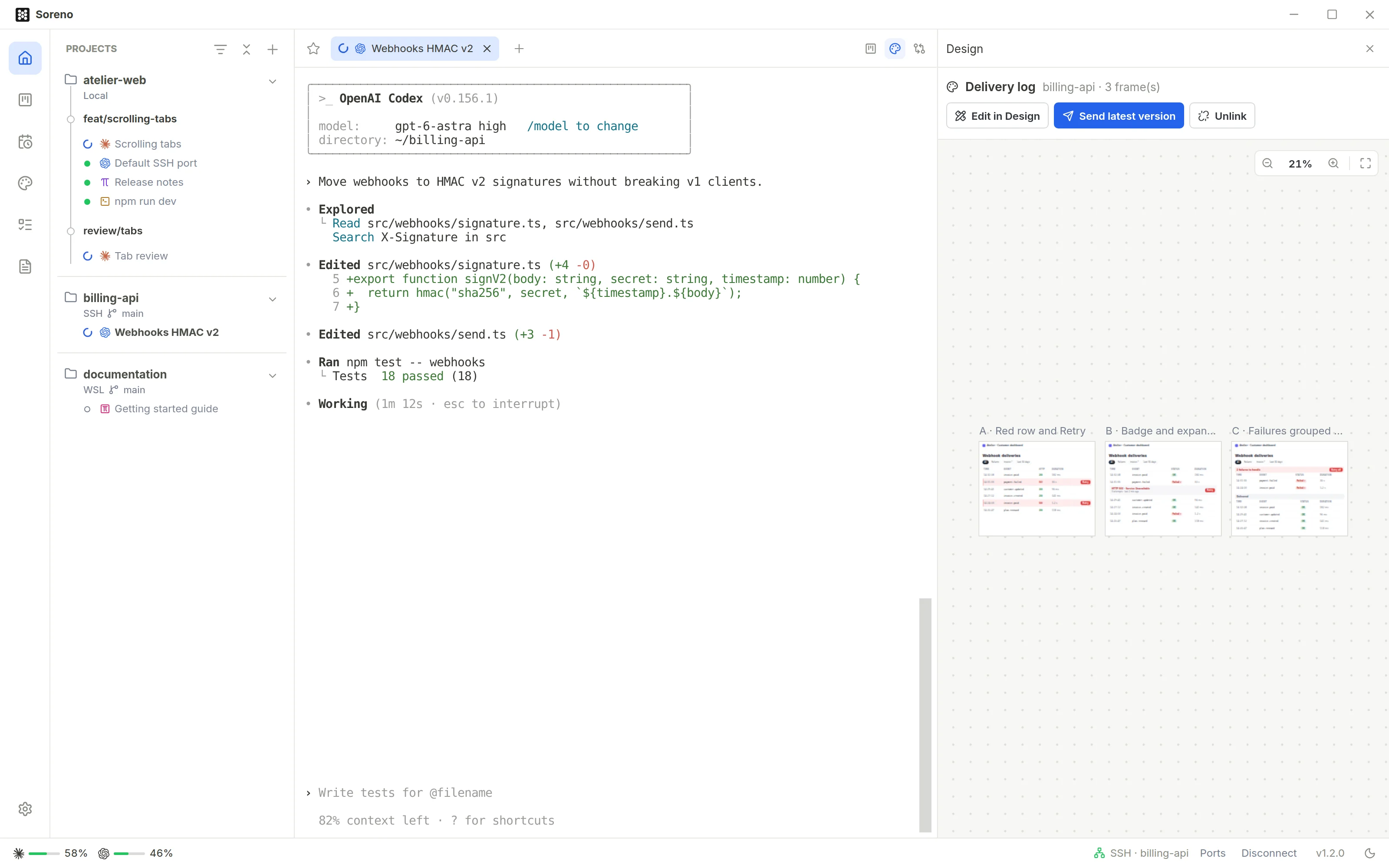
Linking or sending doesn’t start the implementation: the agent acknowledges and waits for your request.
Mockups now go through Design: /mockup and /grill leave Chat (OMP). All the details are in the Design boards page of the documentation.
