 Soreno
· Since Soreno 0.3.7
Review the diff, the agent fixes it
In Soreno’s Git panel, comment on a line of the diff as in a pull request: the remark goes to the agent, which fixes it. Then commit in one click.
An agent changed your code. Before you push it, you read it over: that is where you spot what’s off. In Soreno, that review happens in the Git panel, next to the agent, and every remark goes straight back to it.
Comment on a line, or a range
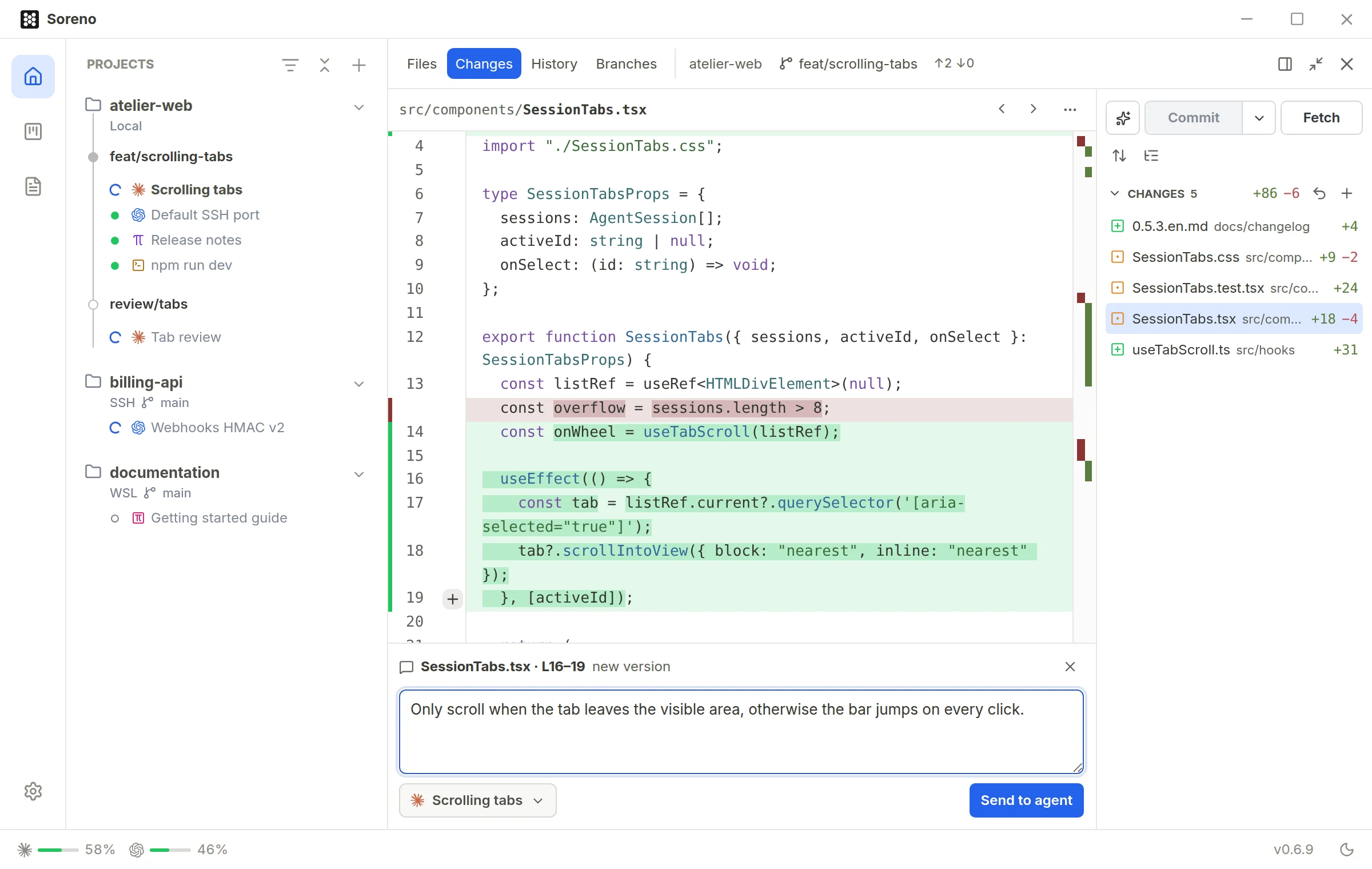
In Changes, hover a line of the diff: a + shows up in the gutter. A click comments on the line, a drag on a range, and Shift+click extends the selection. Write your remark as you would in a pull request review.
The agent gets the remark
Pick the project’s agent, then Send to agent. It gets your remark with the file, the lines and their excerpt at the end of its current turn: it is not interrupted. The comment box follows the delivery, Sent then Delivered, or Not delivered with the reason. If the diff changes in the meantime, Soreno asks you to select the lines again, keeping your text.
It works with agents in a terminal as well as with Chat (OMP), where the remark lands straight in the conversation. In a project group, it goes to the group’s agent. And to point at a file without a remark, right-click it for Insert path in active agent.
Commit in one click
When the diff looks right, the ✦ button left of Commit does it all: it stages every change, untracked files included, writes the message with Codex and creates the commit. The message style is set in Settings > AI > Commit messages: imperative, Conventional Commits, or a subject followed by a short paragraph. The commit conventions in the repository’s AGENTS.md come first.
Codex writes the message: if it isn’t installed, nothing is changed and Soreno tells you where to set it up.
