 Soreno
· Since Soreno 0.1.9
One worktree per task, merged in one move
In Soreno, each agent can work in its own worktree, on its own branch. When it’s done, one click merges and cleans up, and an agent sorts out any conflicts.
Two agents in the same folder end up editing the same files. A worktree solves that: one more working copy, on its own branch, sharing the same repository. Soreno makes it an agent’s unit of work.
A worktree in one click
A project’s + in the project list creates a worktree on a new branch from the current one. It shows up right away under the project, named after its branch, and you start agents in it as anywhere else. The Git panel’s Branches view also offers Create worktree, to pick the branch and the folder. And an issue dragged into In Progress starts its agent in a dedicated worktree.
Merge and delete, in one go
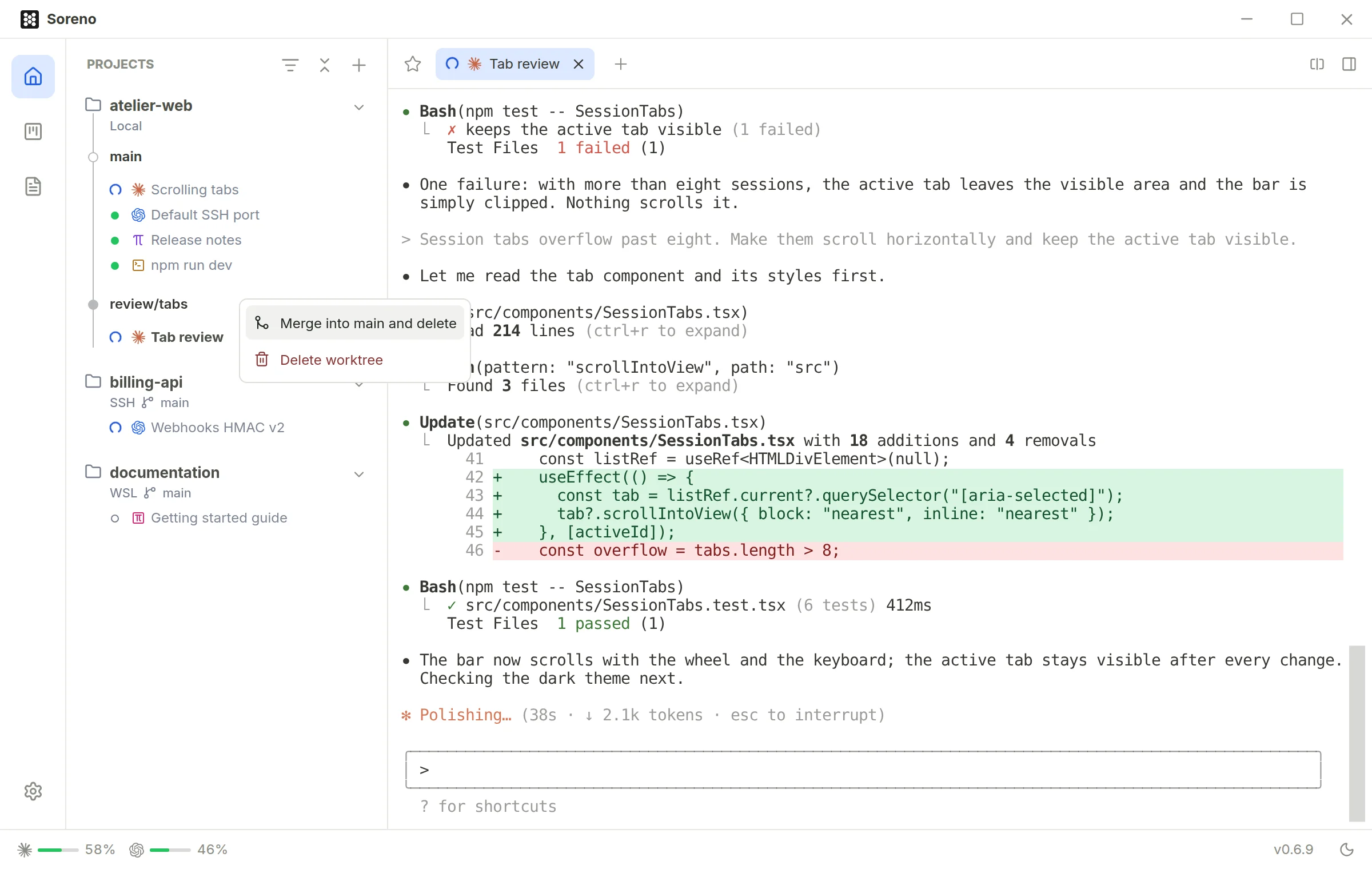
When the work is done, right-click the worktree: Merge into main and delete. Its changes join the main branch, then the worktree and its branch are gone. If sessions are still running in the worktree, the confirmation lists them and Soreno stops them before merging. Uncommitted changes block the merge, and Soreno tells you where.
A conflict? An agent handles it
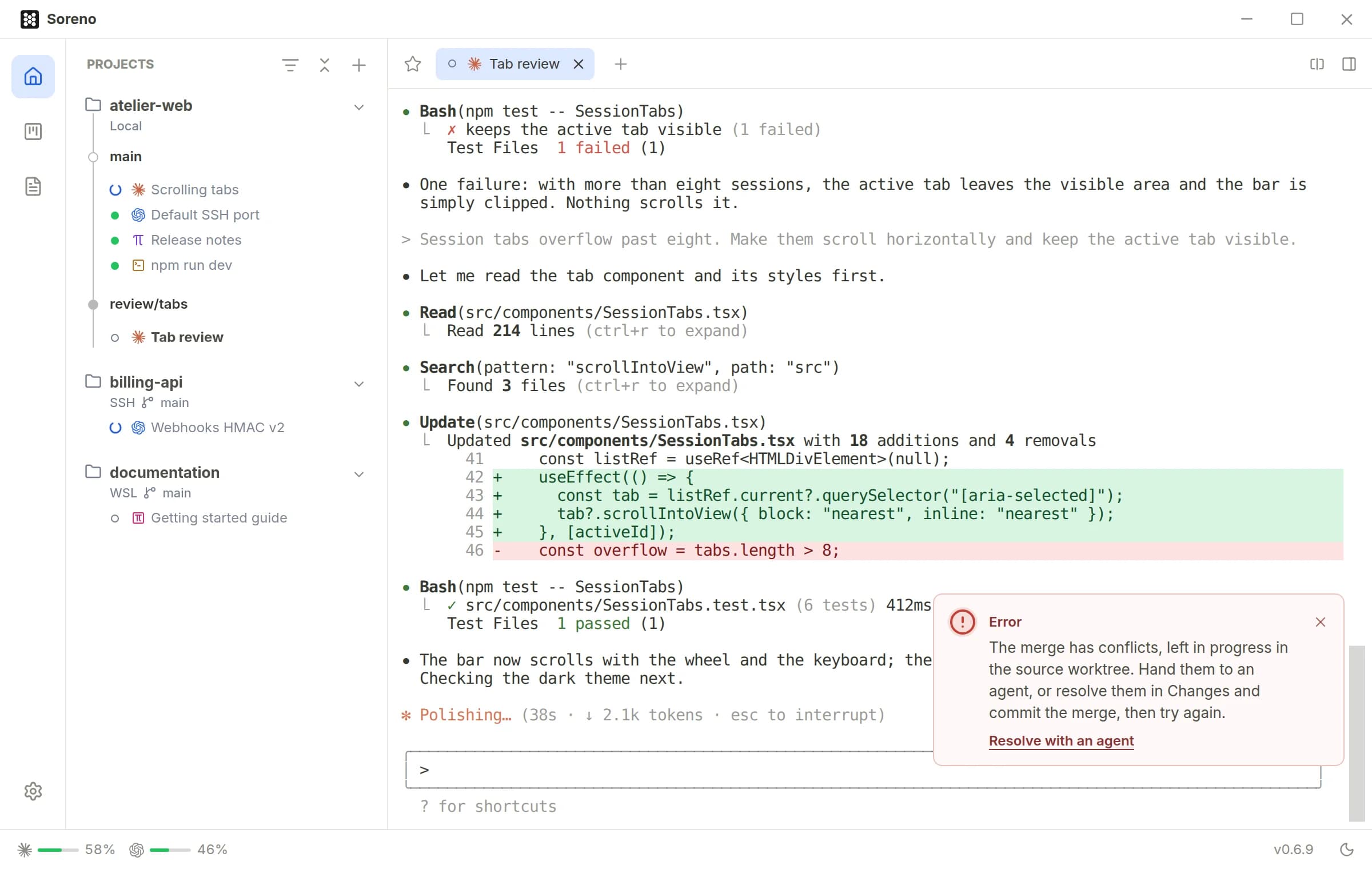
If the merge hits a conflict, the main branch is left untouched. The notification offers Resolve with an agent: Soreno opens a “Conflicts” session in the worktree, with the agent that was working there. It resolves each file keeping both branches’ intent, runs the relevant checks and commits the merge, without rebasing, resetting or pushing; when it can’t decide, it asks you. All that’s left is to run the merge again.
Rather sort them out yourself? The Git panel shows the Base, Ours and Theirs versions of each conflicted file, and Mark resolved… wraps it up.
