 Soreno
· Since Soreno 1.0.2
The issue next to the agent
Soreno 1.0.2 shows a session’s Kanban issue to the right of its agent: you follow and edit it without leaving the terminal, and a session started without an issue can have one linked afterwards.
An agent is working on SOR-42. To reread what it was asked, add a label or leave a remark, you used to go through the Kanban, then come back to the session. Since Soreno 1.0.2, the issue opens to the right of the agent, in place of the project tools.
One click, or Ctrl+Alt+K
A session linked to an issue shows an Issue SOR-42 button at the top right, next to Project tools. A click opens the issue; Ctrl+Alt+K (Cmd+Option+K on macOS) opens and closes it, even when the terminal has focus.
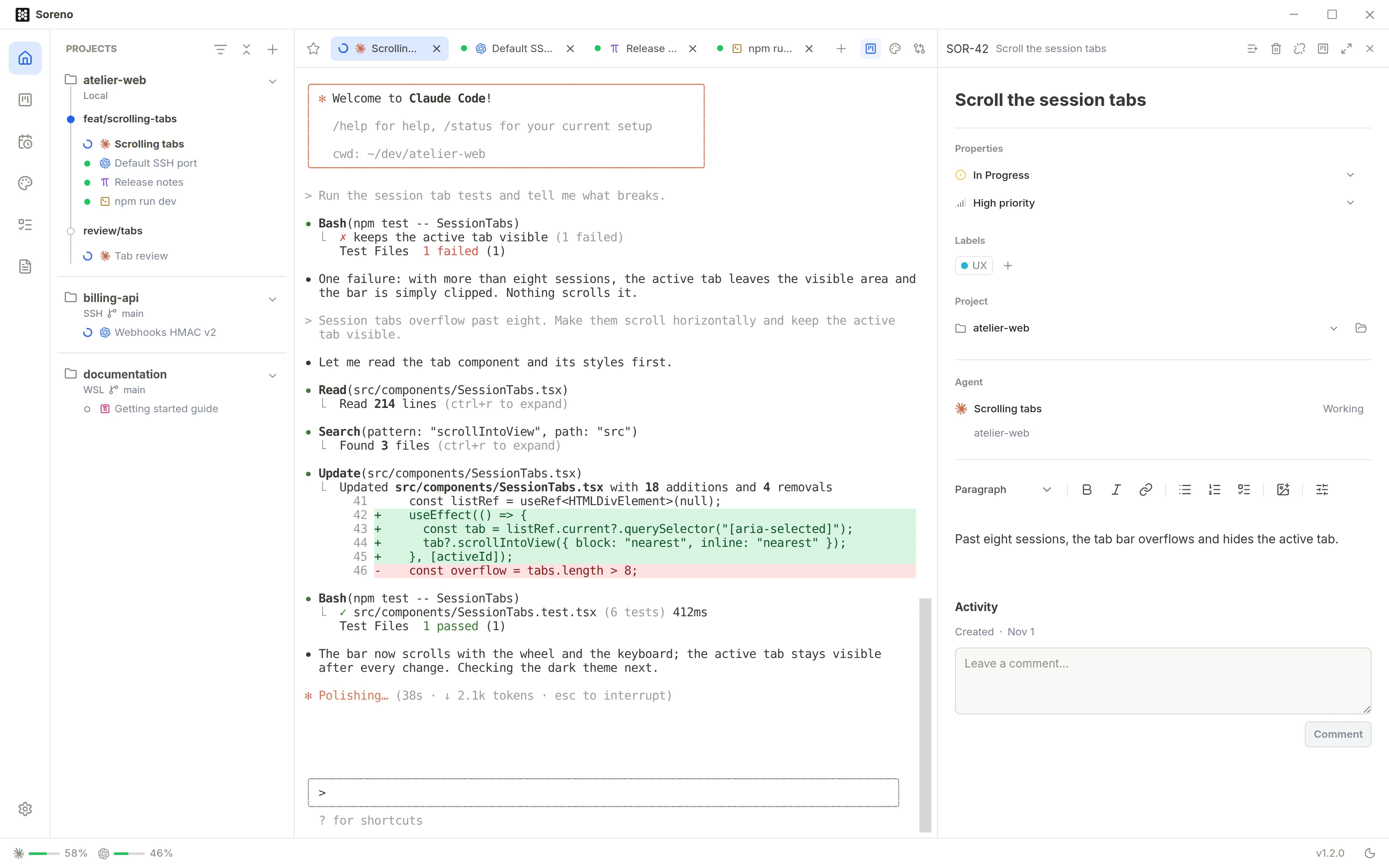
Everything is edited there just as on the board: status, priority, labels, project, description, comments, sub-issues. The board follows right away. Open in Kanban takes you there, and Expand issue gives it the terminal’s room for a careful read.
The panel follows the active session: move from one agent to another, each shows its own issue. A comment sent from this panel only goes to that agent.
A session without an issue? Link one
You started an agent directly, and the task turns out to deserve its own issue. On a session without an issue, the same button becomes Link an issue: Create an issue writes it in the session’s project, or pick an open issue that has no agent yet, the project’s first.
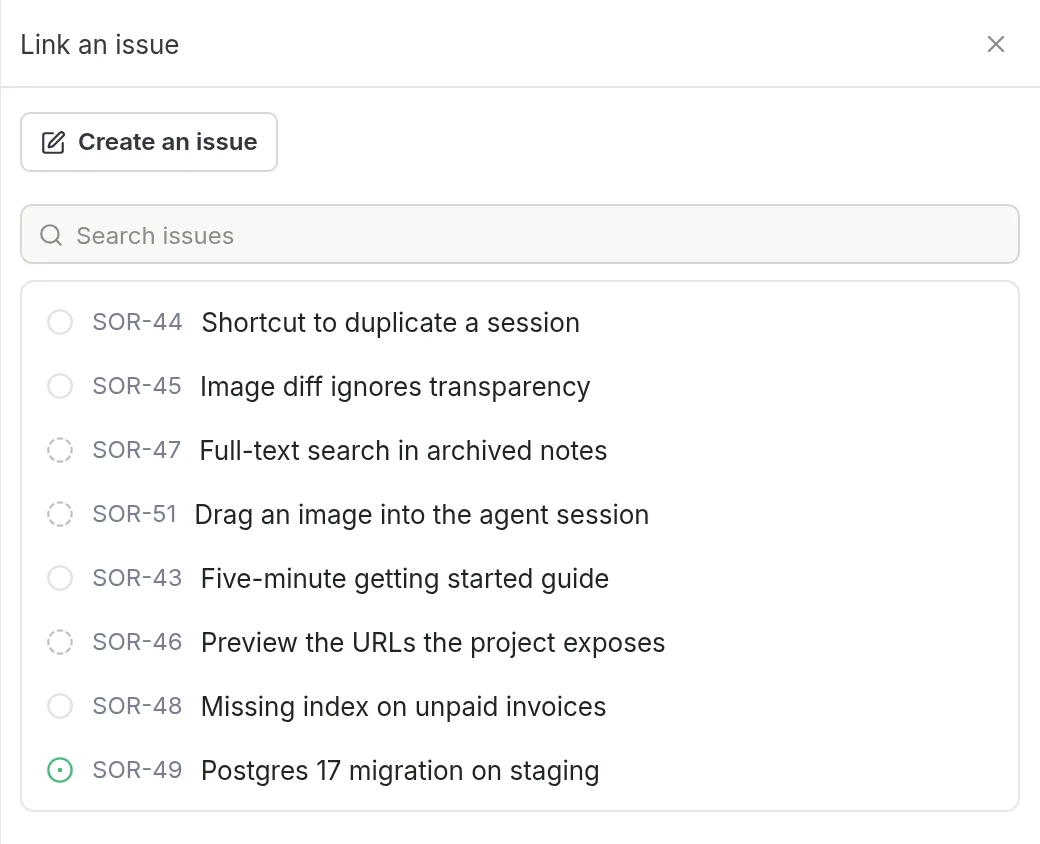
The agent then receives the title, the description and the instruction to leave a summary, as if it had been started from the issue. The issue moves to In Progress if it hadn’t started, and the agent’s summary lands as a comment when it’s done.
Unlink from this session undoes the link: the issue keeps its status and comments, and the agent is told it no longer has a summary to post.
Chat (OMP) too
In the same release, an issue can start a Chat (OMP), or be linked to one, just like a terminal agent. Its prompt is sent as the first message, with its images, and the end-of-turn summary is posted on the issue.
All the details are in the Issues and agents page of the documentation.
