 Soreno
· Since Soreno 0.1.9
Your agents run on your servers
Soreno runs Claude Code, Codex, Pi and OMP on your SSH servers. Close Soreno and they keep going; reopen the session and everything is there. And your dev server opens in your browser.
Do your repositories live on a dev server, a VM or a machine beefier than your laptop? Soreno runs your agents there. An SSH project has the same terminals, agents and Git panel as a local one; the folder and its files stay on the server, and Soreno keeps no copy.
A guided connection
Add project > SSH: enter the server, or an alias from your ~/.ssh/config, and the account, then Choose a folder. For a new server, Soreno shows its fingerprint, to compare with your administrator’s before confirming. Your private key or SSH agent is all it takes: Soreno stores no password or passphrase. Select multiple projects adds several folders at once.
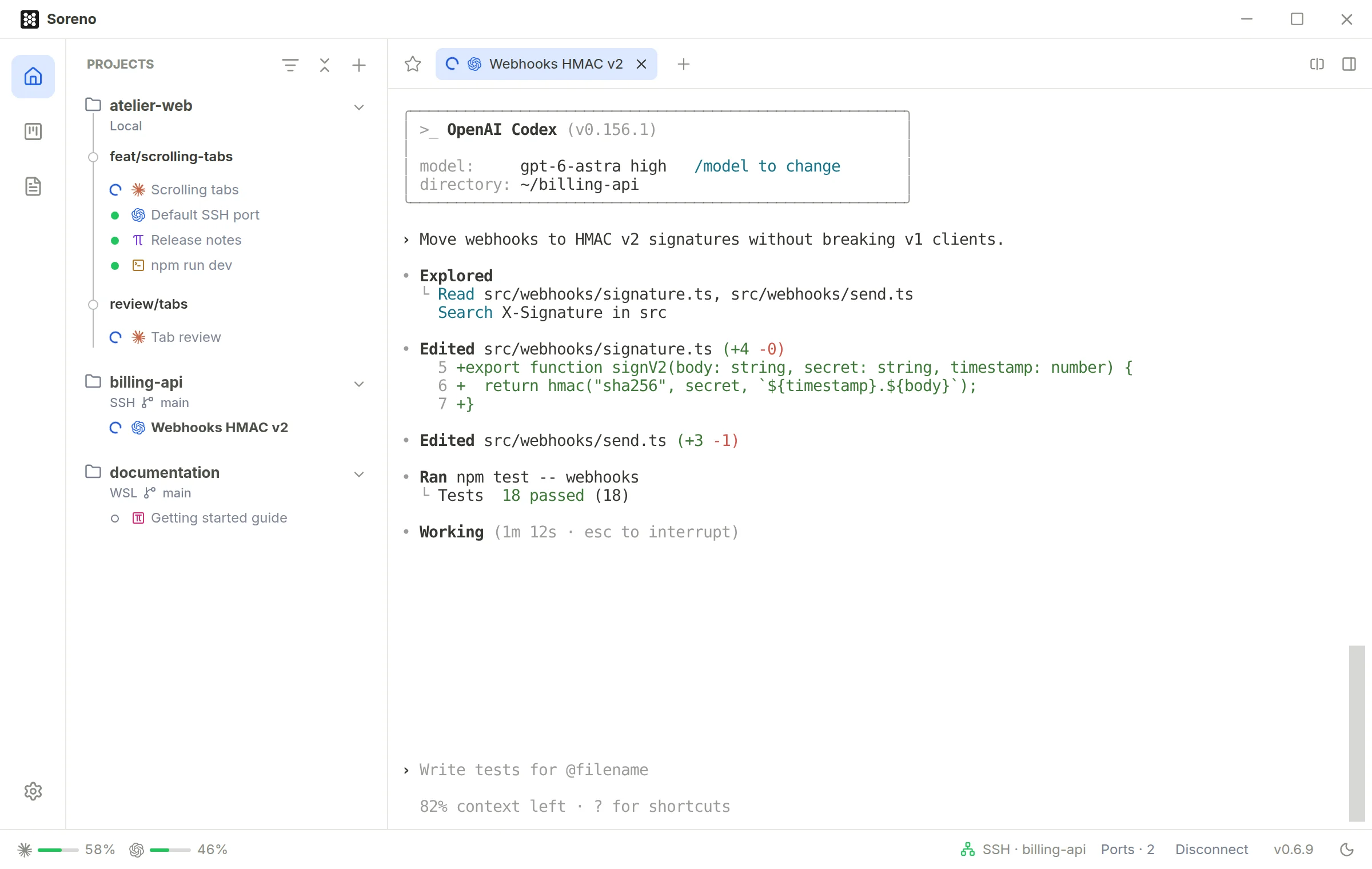
Close Soreno, the agent keeps going
Closing Soreno or losing the connection only cuts the SSH client: on the server, the agent carries on. Reopen the session and the terminal is where you left it, with its history, including what the agent printed in the meantime. Stop really ends the session. To do this, Soreno installs a small tool in ~/.cache/soreno, without admin rights, on Linux as well as macOS.
Your dev server, in your browser
The Ports button in the status bar forwards server ports to your machine: enter one or more, or a range like 8088:8095. If a port is already taken on your side, Soreno picks another and tells you. One click opens the service in the browser, and Stop all ends the forwards, which also stop when you disconnect the project or close Soreno.
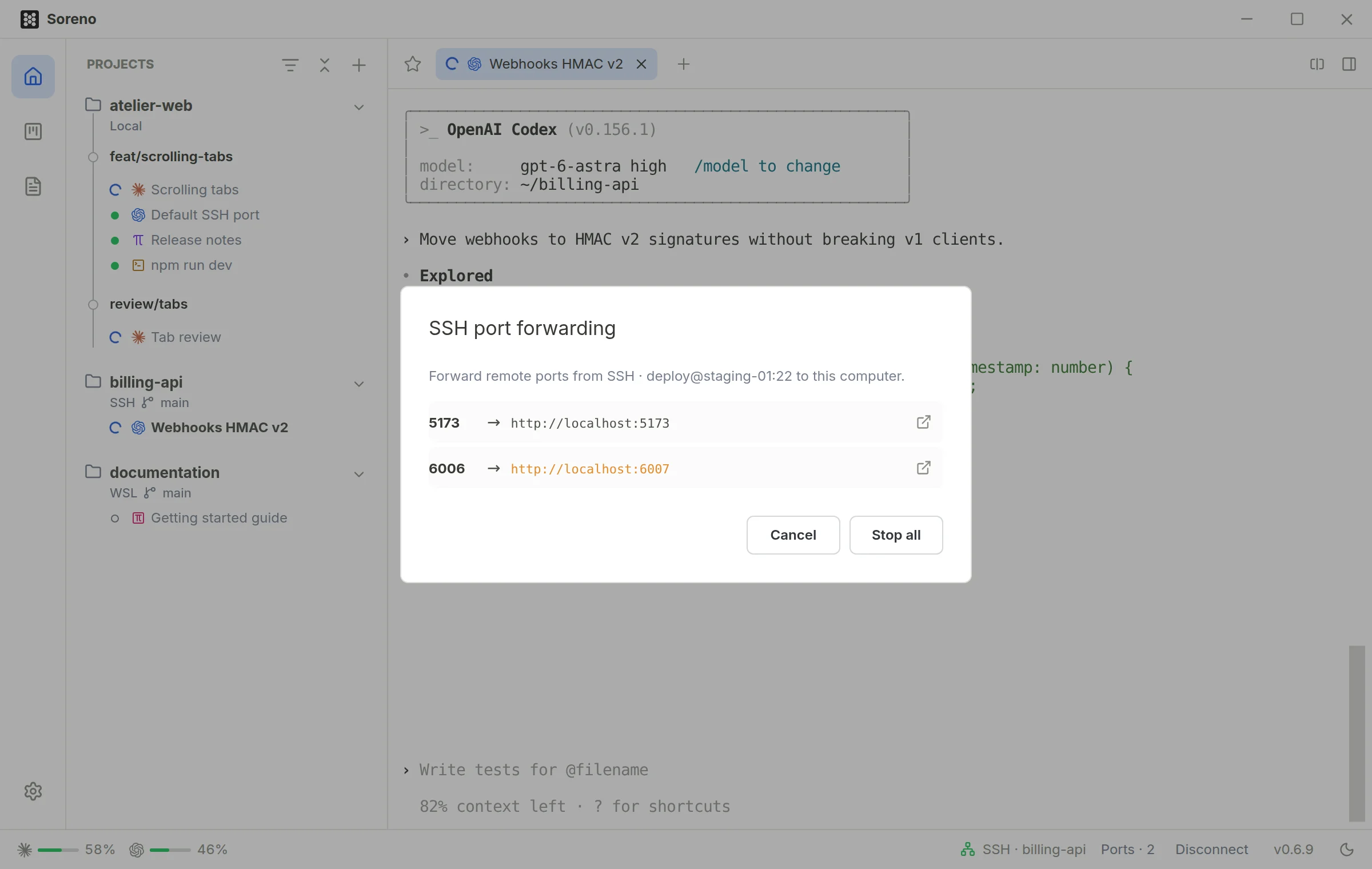
Pick up the session from elsewhere
The session runs on the server: another SSH client can join it, even while Soreno shows it, from another terminal or the SSH client on your phone. Right-click the tab, Copy attach command, and paste it wherever you like. Ctrl+\ detaches without stopping the agent.
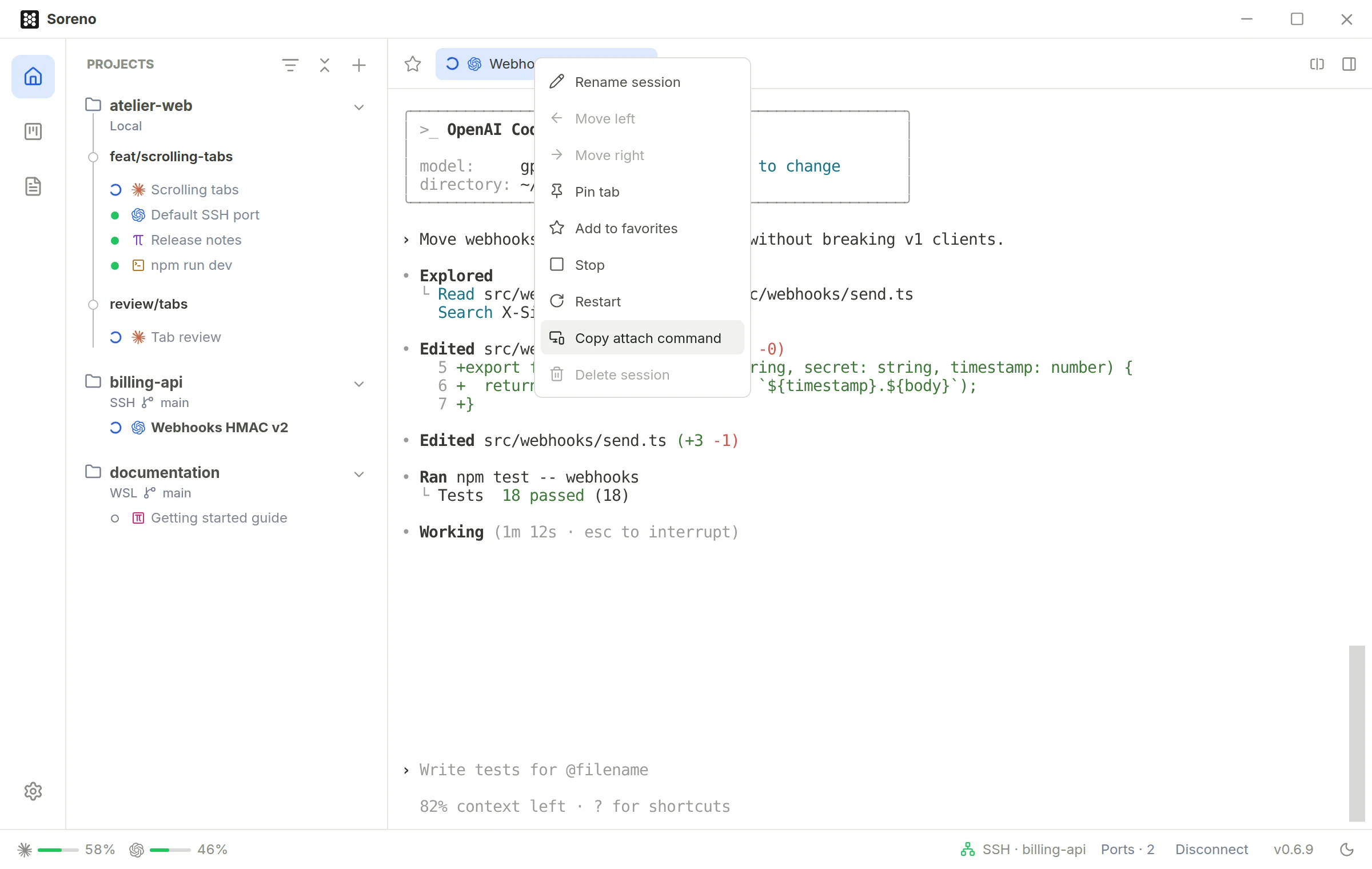
The rest follows: files and images you paste or drop land on the server, quick open, search and the Git panel work remotely, and the Codex and Claude quotas include the accounts signed in on your servers. WSL projects work the same way, in the distribution you pick.
You need an OpenSSH client on your machine, and on the server, a POSIX shell, Git 2.35 or later, and the agents you want to run.
