 Soreno
Chat (OMP)
Chat (OMP) commands
/grill to frame a subject, /mockup to see a mockup, /goal so OMP sees it through, /btw for a side question: what each Chat (OMP) command does, and where to find the others.
In the Chat (OMP) input, type /: the command list opens, filtered as you type. The four on this page come from Soreno; the others, from OMP and your skills. /goal, /btw and /grill take no attachments: remove them or send them in another message.
/grill: frame before coding
/grill followed by the subject starts a framing interview. OMP explores the code first: whatever the project can tell it, it doesn’t ask you. Then it asks its questions in rounds, every one it can already ask, each with two to four concrete options, the one it recommends and, for each, the reason and what it costs. It modifies no file during the interview. Without a subject, it asks you for one first.
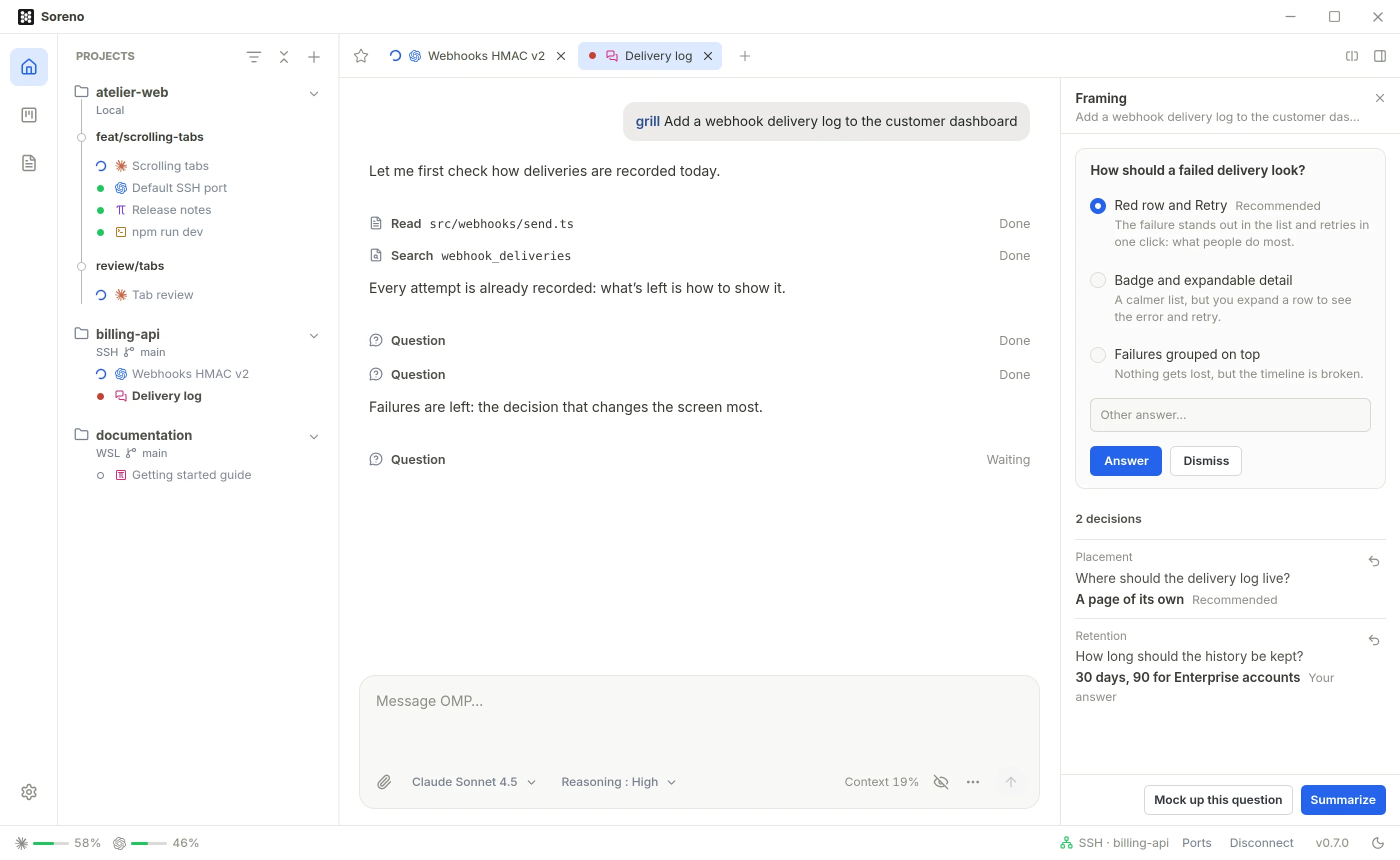
The interview opens in the Framing column, to the right of the conversation: the current questions on top, the decisions below, marked “Recommended”, “Your answer”, or “Dismissed” for a question you set aside, which stays open for the summary.
- Revisit, each decision’s button, puts it back on the table;
- Mock up prepares
/mockupin the input; when questions are waiting, Mock up this question sets them aside and asks for a mockup of their options; - Summarize asks for the wrap-up in Markdown: the goal, each decision and its rationale, the open questions and the next steps;
- Hide framing puts the column away, Show framing brings it back; drag its edge to resize it.
When nothing material is left open, OMP says so and stops asking: time to Summarize. The summary arrives in the conversation, and its Copy button grabs it. The interview is read back from the history: resume the conversation later and the column is still there.
/mockup: see before coding
/mockup followed by the subject asks OMP for an HTML mockup, without touching a file. Without a subject, it mocks up what the conversation is currently deciding. OMP follows the project’s style when it has one; when several options are worth comparing, it shows them side by side, A, B, C.
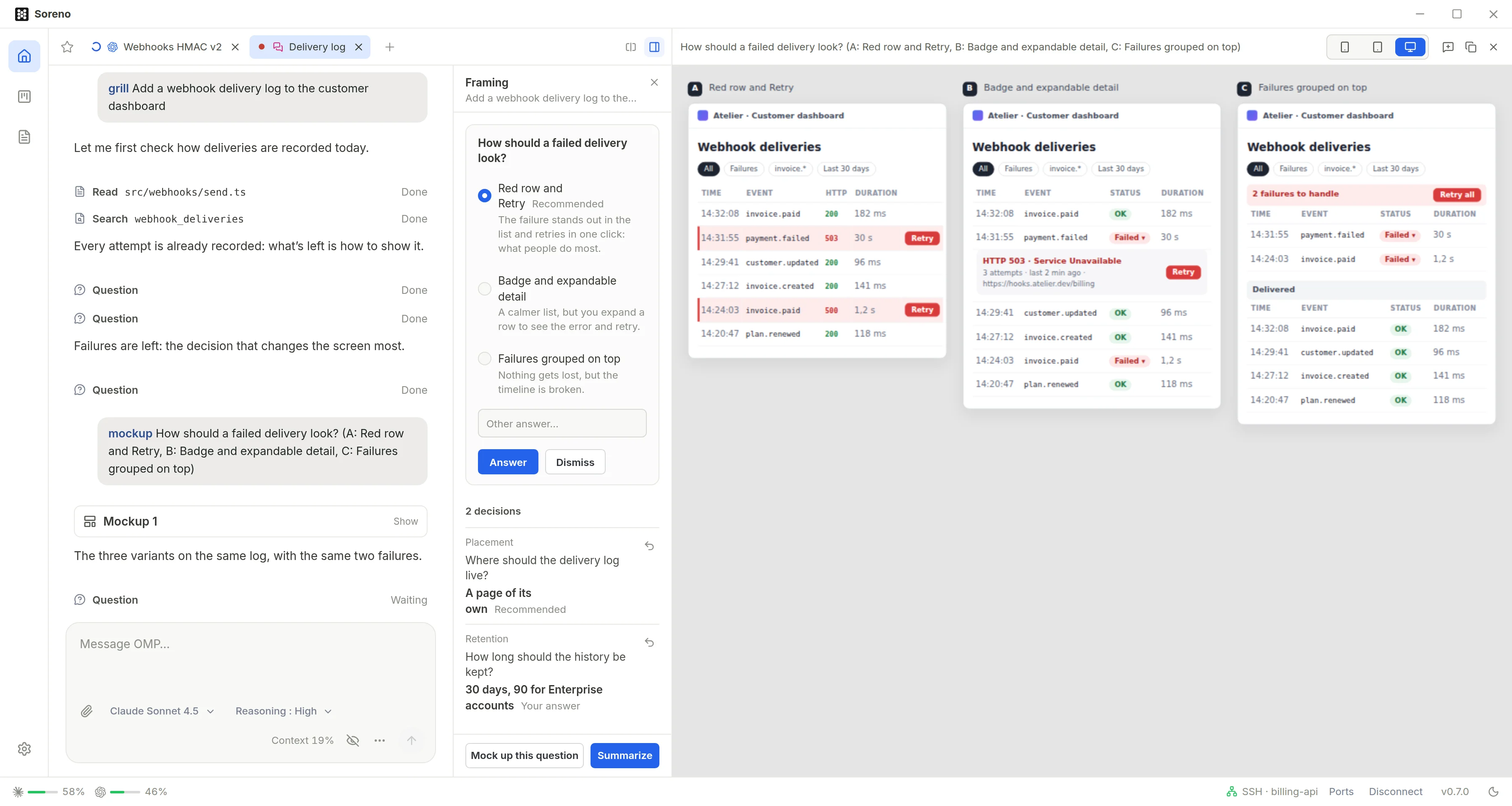
The preview takes the project tools’ place. While OMP works, it shows “OMP is studying the project…”, then “OMP is drawing the mockup…” with how much it has written. In the conversation, each mockup fits on a card, Mockup 1, Mockup 2…, which reopens the preview.
- Mobile, Tablet or Desktop: the preview width, remembered;
- Previous mockup and Next mockup: step through the conversation’s mockups;
- Copy HTML: grab the mockup shown;
- Comment the mockup: a comment on the whole mockup;
- Close mockup: give the place back to the project tools.
To tweak an element, click it in the preview: the hovered element gets outlined, and the click opens a comment right next to it. Write what should change, then Send or Ctrl+Enter. OMP starts from that version and changes only what you ask; the preview switches to the new version as soon as it arrives.
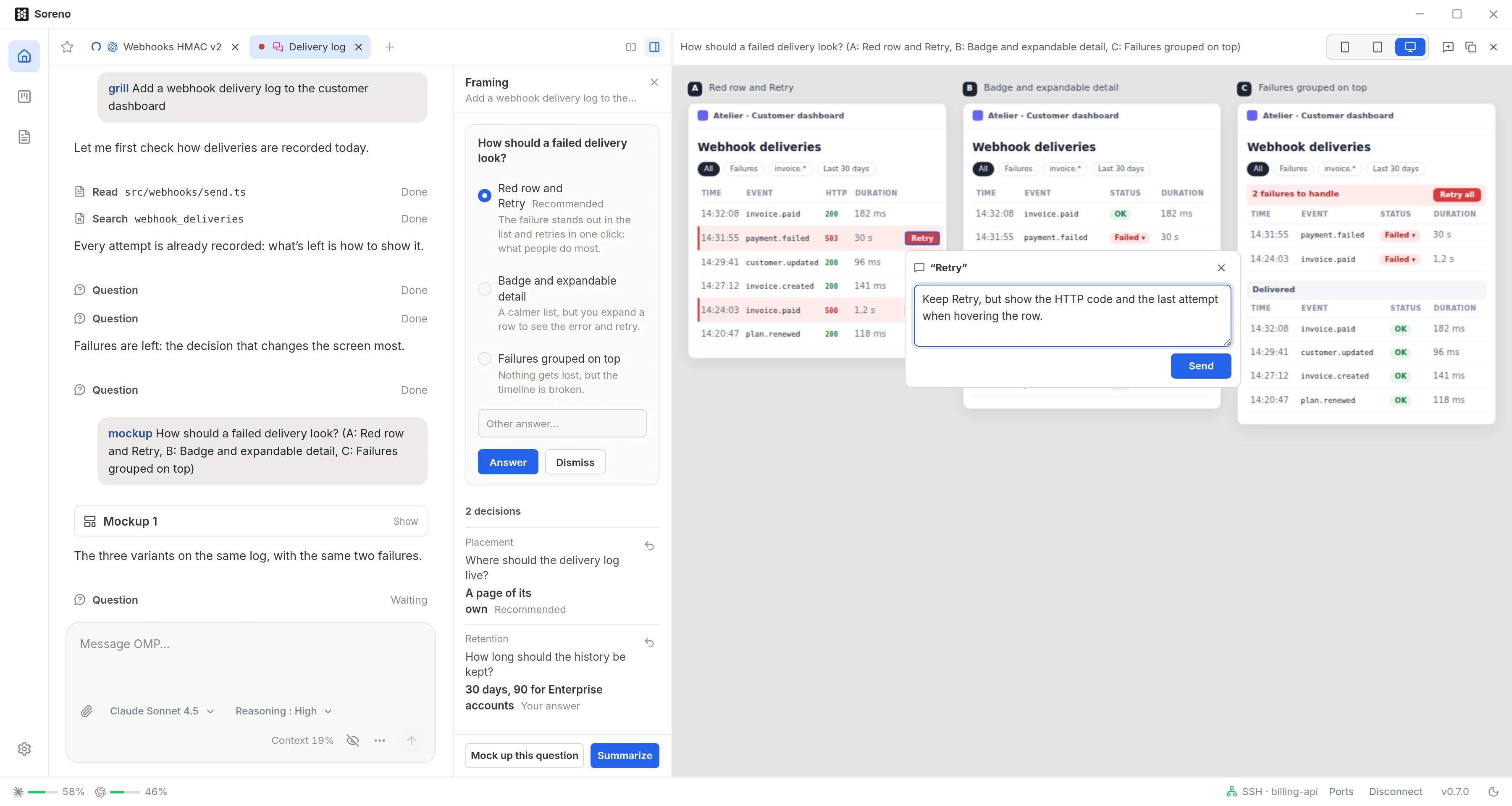
If a question was waiting for its answer, it is set aside and OMP asks it again after the new version: tweak as much as you like, then answer on the final one.
/goal: a goal, all the way
/goal followed by a goal, and OMP keeps taking turns, without waiting for your message, until it gets there: it runs the tests, fixes what breaks, runs them again. The indicator under the input, “Goal: active”, gives the goal’s status, and its text on hover.
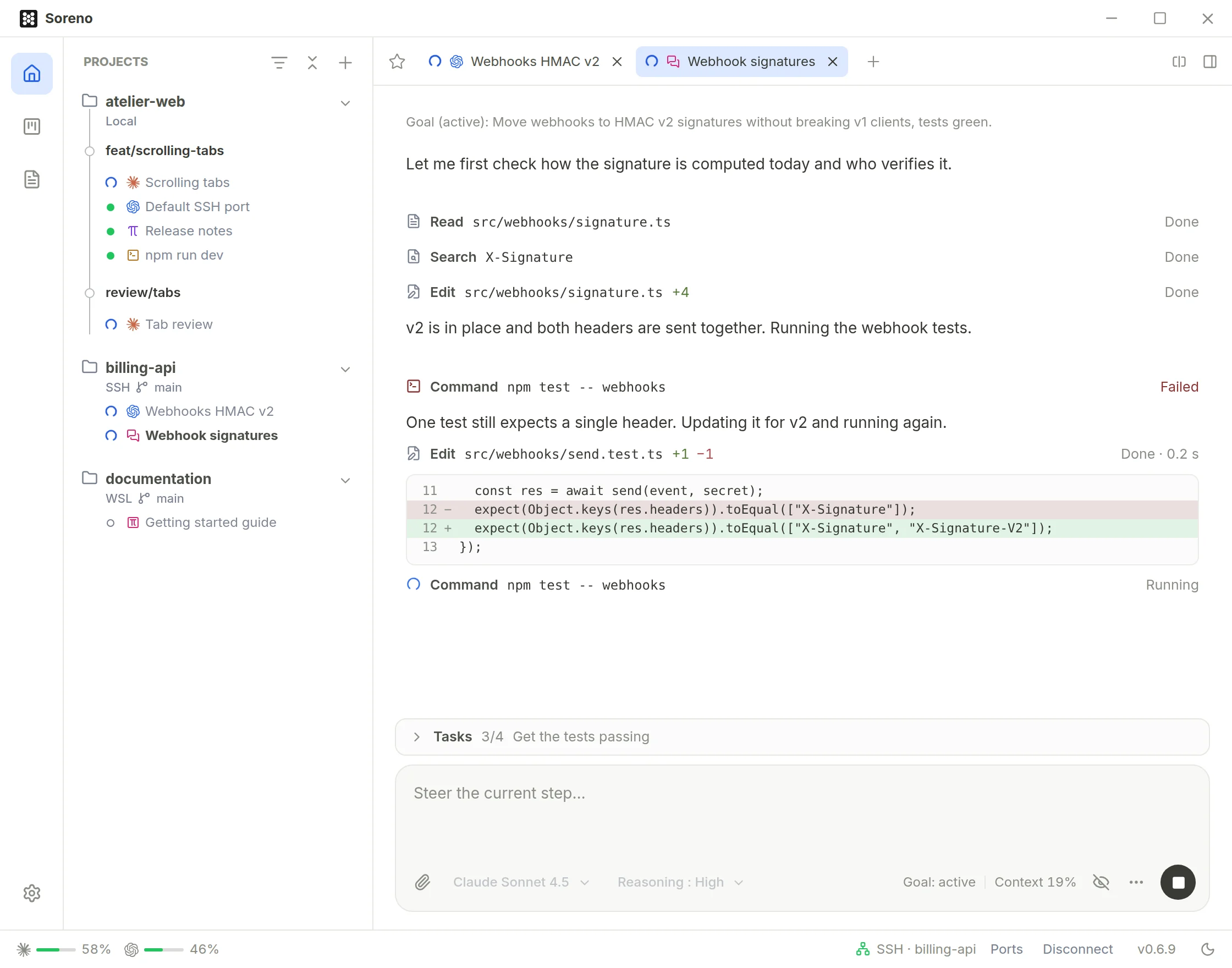
/goalalone or/goal show: show the current goal;/goal pauseand/goal resume: pause it, resume it;/goal drop: drop it.
Its status goes through active, paused, budget reached, complete or dropped.
/btw: a question on the side
/btw followed by a question asks OMP while it works, without interrupting it or pulling it off its task. The answer shows in the Side question panel, above the input, apart from the conversation. Follow up… continues on the same topic.
- Stop the side question: stop it while OMP answers;
- All side questions, or
/btwalone: the session’s side questions, each with its number of questions; - Close the side questions: put the panel away.
Other commands
The / menu also offers OMP’s commands that work in a conversation, such as /compact or /changelog, and your skills, as /skill: followed by their name. Those that duplicate a Soreno control or need a terminal are left out.
To trim the menu, open Settings, Agents section: OMP chat commands lists the commands of the last chat session opened, each with its switch.