 Soreno
Review and Git · Updated
Pull requests and merge requests
List, review and merge GitHub pull requests and GitLab merge requests from Soreno’s Git panel, through the gh and glab CLIs, locally, in WSL or over SSH.
What you need
A project’s Git panel gains the Pull requests view when its repository is on GitHub, Merge requests when it is on GitLab. It reads the repository of the upstream remote, or origin if there is none. Only github.com and gitlab.com are supported: for GitHub Enterprise or a self-hosted GitLab, the view shows “Unsupported forge”.
Soreno goes through the forge’s CLI, gh for GitHub, glab for GitLab, installed in the project’s environment: on your computer, in the WSL distribution or on the SSH server. It stores no token: the CLI does the authentication.
If the CLI isn’t signed in, the view shows “Not signed in to GitHub” and the Sign in to GitHub button, or Sign in to GitLab. It opens a terminal session, GitHub sign-in, that runs gh auth login --hostname github.com, or glab auth login --hostname gitlab.com; the list loads as soon as the sign-in succeeds. If the CLI is missing, “gh not found” asks you to install it in the project’s environment: Soreno doesn’t install it.
The list of requests
At the top of the view, four filters: Open, Mine, Review requested, for those awaiting your review, and Closed / merged. The magnifier opens the search: type your text, then Enter. Refresh reads the list again; Soreno also rereads it when you come back to the app, if it was last read more than 30 seconds ago.
Each row shows the title, the date, the number, the author, the source and target branches, then icons for conflicts, review and CI status; hovering the row spells them out. The request for the current branch comes first, marked Current branch.
A request’s details
Click a request: its header shows the title, the state, Open, Draft, Closed or Merged, the author, the branches, the reviewers and the labels. Four tabs follow:
- Description, in Markdown;
- Checks, each with its status, Success, Failure, Pending, Skipped or Neutral; clicking its name opens it in the browser;
- Commits, with their author and date;
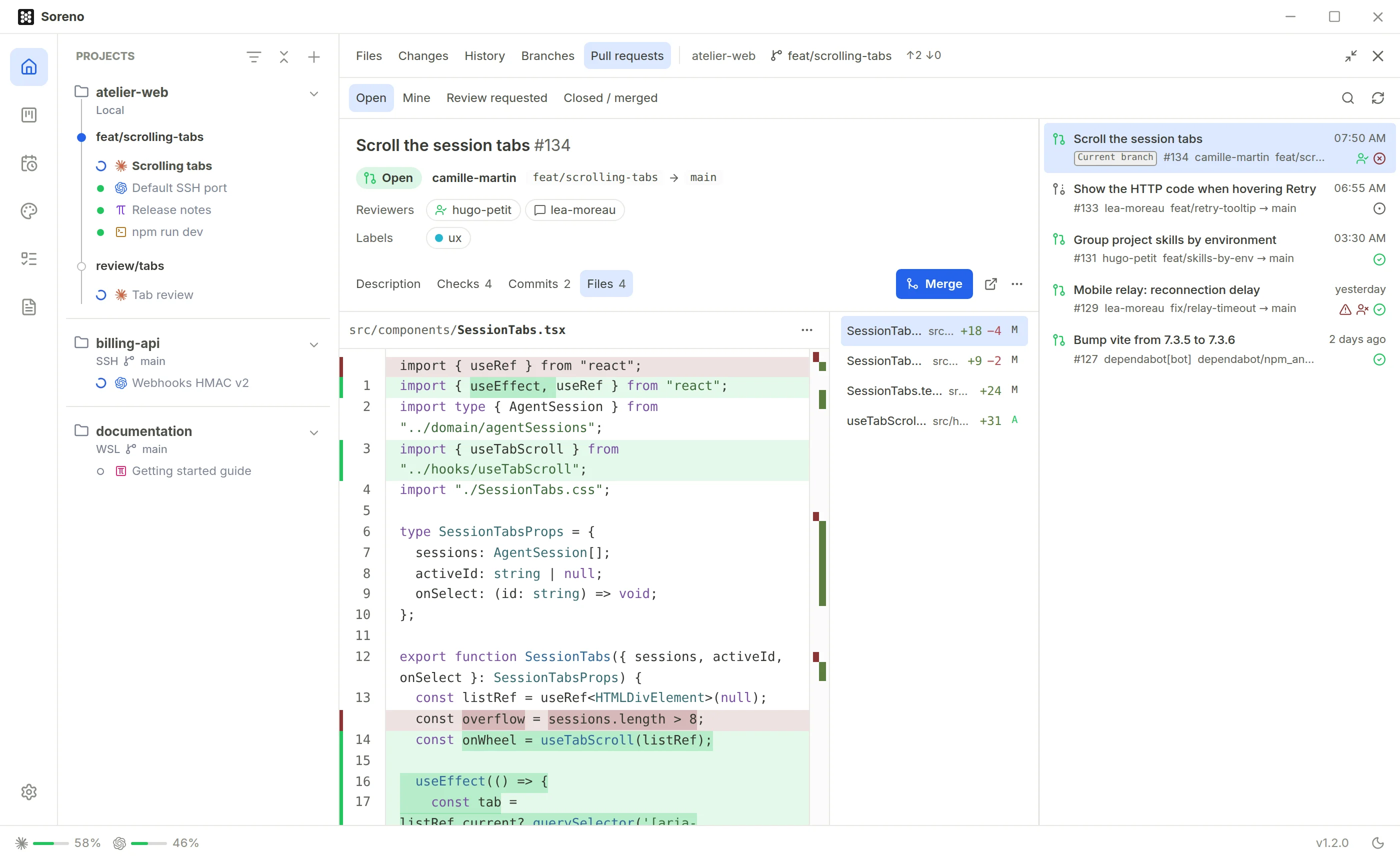
- Files, the changed files and their diff.
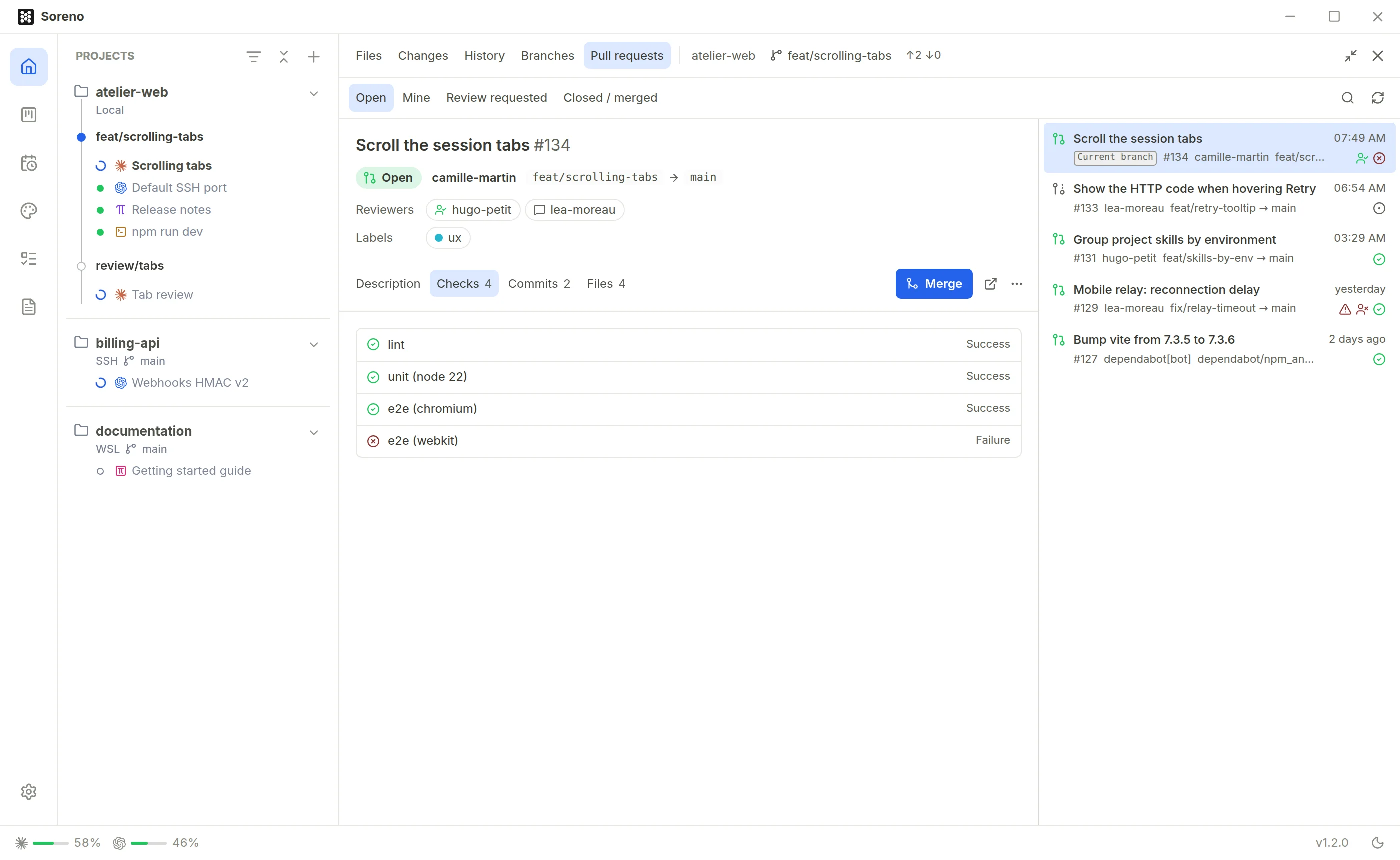
The Files diff is computed locally, by Git: Soreno fetches the request’s commits the repository lacks, without touching your branches, then compares from the common ancestor with the target branch.
Review in the expanded panel
Expand project tools, in the panel header, or Ctrl+Shift+M (Cmd+Shift+M on macOS) gives the panel the terminal’s place. Files then switches to three columns: the diff, the list of changed files and, on the right, the requests. The same shortcut returns to the terminal, even when the terminal has focus; if the panel is closed, it opens it expanded straight away.
Merge
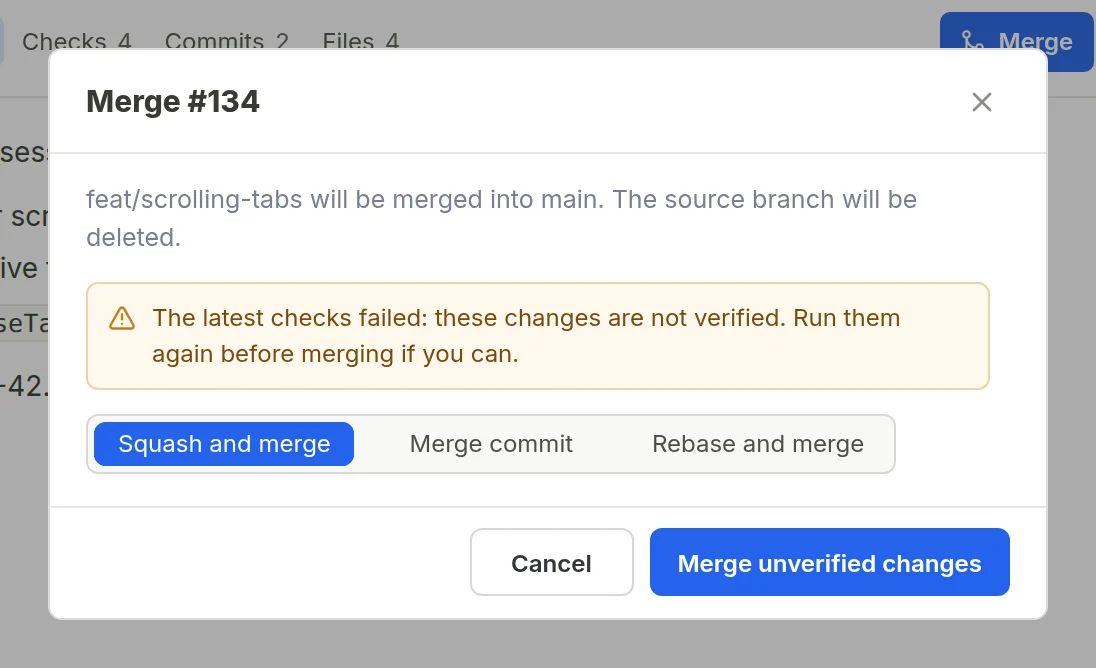
Merge opens a confirmation: the source branch will be merged into the target branch, then deleted or kept according to the repository’s settings. Pick the method: on GitHub, Merge commit, Squash and merge or Rebase and merge, among those the repository allows; on GitLab, Merge commit or Squash and merge, according to the project’s squash setting. The choice only shows when there are several methods.
If the latest checks failed or are still running, the confirmation says so and its button becomes Merge unverified changes. It doesn’t get around the repository’s rules: when they require those checks, Merge stays greyed out.
As long as the request is blocked, Merge stays greyed out and hovering it gives the reason: draft, conflicts, checks not passing, approvals missing, branch behind its target, mergeability still being computed or a repository rule.
Other actions
- Mark as ready, on a draft, makes it ready for review;
- Open in browser, the icon next to it, shows the request on GitHub or GitLab;
- in the … menu, Check out in a new worktree opens the creation of a worktree on the request’s branch, added to Soreno as a project;
- Check out in this worktree switches the project to that branch, if it has no changes in progress;
- Close closes the request; a closed request offers Reopen.
The local branch takes the source branch’s name. For a request from a fork, it is named pr/ followed by the number on GitHub, mr/ on GitLab; a push from that branch goes to the listed repository, not to the fork.
When the forge doesn’t answer
If the API rate limit is reached or the network is down, Soreno keeps the last known state and says so. Other errors, such as No remote or Access denied, show in place of the list, with Retry.